

Turn finished comic pages into editable panel assets.
Upload a manga, comic, or webtoon page. LlamaGen segments the panels, keeps visual context around bubbles and captions, and gives your team assets that can move into localization, motion, archive, or layout work.
Built for creators, studios, translators, editors, and motion comic teams who already have completed pages and need faster handoff-ready panel files.
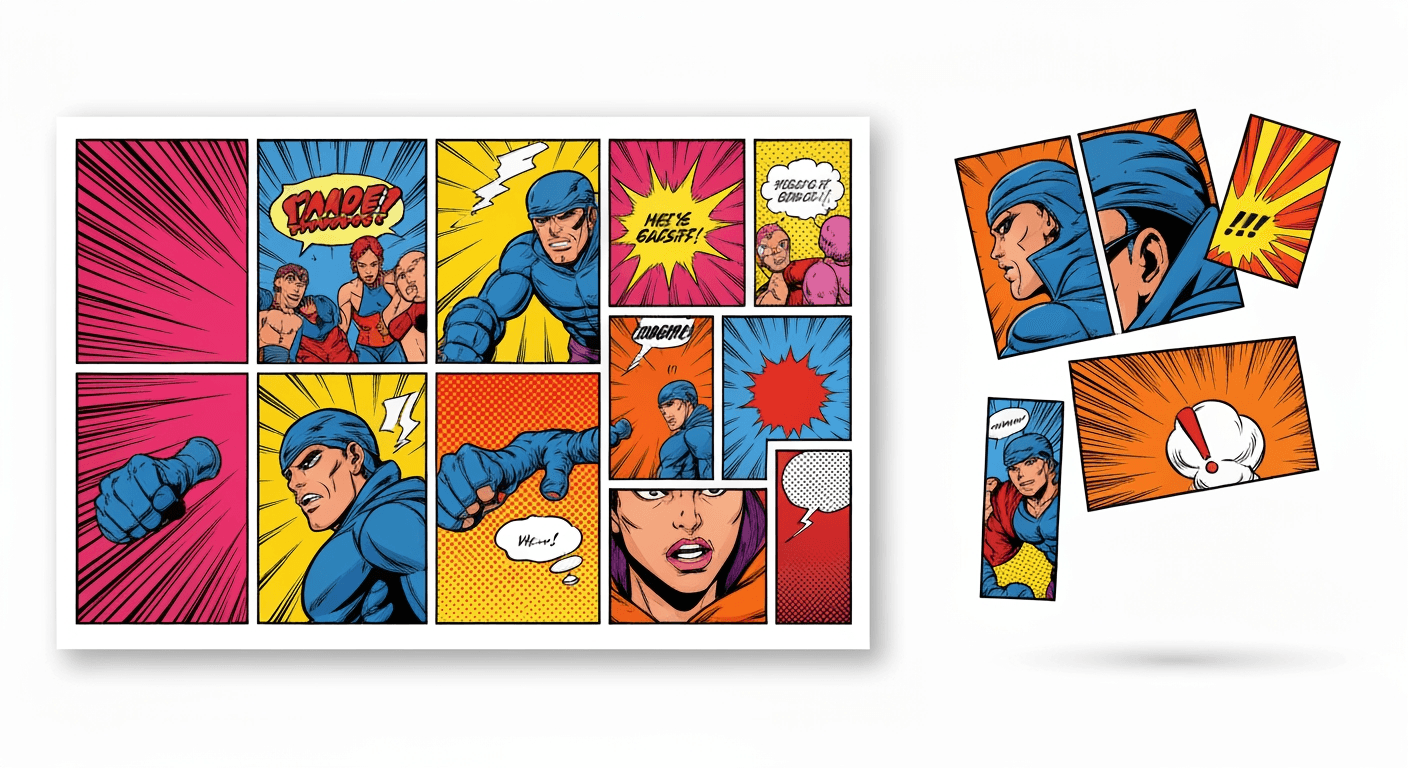
Built for production work
A precise audience: teams who need comic pages to become usable assets.
This page is no longer speaking to everyone who likes comics. It is designed around the people who lose time converting finished pages into files that editors, translators, animators, and publishing tools can actually use.
Comic studios and assistants
Break full pages into clean panel assets before redraw, cleanup, social resizing, or archive packaging.
Localization editors
Keep speech bubbles, captions, and nearby artwork visible so translation QA starts with the right context.
Motion comic creators
Convert static pages into panel-level visual assets that can move into video timelines, reels, and animated storyboard tools.
Pain scenarios
The expensive part is not the crop. It is every workflow waiting for the crop.
Manual panel cutting blocks downstream work: translation, cleanup, motion, webtoon re-layout, thumbnails, and asset archives all wait for someone to prepare usable files.
A finished page arrives as one flattened image
The artist, publisher, or archive exports one complete comic page, but your team needs individual shots.
Cost: Editors spend the first pass drawing crop boxes instead of reviewing story clarity.
Fix: Upload the page and start from extracted panels that are ready to inspect.
Speech bubbles cross the panel boundary
A normal crop can cut dialogue, captions, or visual effects away from the panel they explain.
Cost: Localization QA gets rework because the translator loses visual context.
Fix: Use semantic panel detection that treats panels and text areas as connected production context.
Irregular manga layouts break template cutters
Diagonal frames, overlapping action panels, and cinematic layouts do not follow a simple grid.
Cost: Batch tools fail and the page goes back to manual Photoshop work.
Fix: Let AI read the page structure before exporting panel-level assets.
The moment a flat comic page becomes a production asset set.
The strongest demonstration is simple: one finished page goes in, multiple usable panels come out. That output immediately unlocks translation review, motion comic timelines, webtoon adaptation, thumbnails, and archive packaging.
Drop in a complete page
Use a JPG, PNG, WEBP, or image URL from an existing comic page, manga page, or webtoon export.
AI reads the panel structure
The model identifies panel boundaries and treats speech bubbles, captions, and action effects as context.
Review separated assets
Preview the outputs, download the useful panels, and move them into editing, localization, animation, or archive systems.
shot_01.webpshot_02.webpshot_03.webpshot_04.webp panel_01.pngpanel_02.png
Upload a comic page and inspect the extracted panels.
Use the embedded tool to test a real page. The goal is to show the aha moment directly on the page instead of asking visitors to believe a feature claim.
segmentation ng comic panel
AI-powered na kasangkapan para sa eksaktong semantic segmentation ng mga comic panel.
Upgrade to paid version to enjoy more advanced models and more stable output. Mag-upgrade na
I-click para mag-upload o i-drag ang imahe dito
Sumusuporta sa JPG, PNG, WEBP
Generation Preview
Ready to generate
No generated results yet
Upload an image or select an input example, then click Generate.
Upload your source image
Use an image that includes multiple characters or clear comic panels.
AI pre-checks character/panel count
If only one subject is detected, we stop and ask you to fix the input image.
Run segmentation and cropping
The tool isolates each character/panel as separate assets.
Review and continue editing
Use each cropped result in your next workflow step.
How can you thank us? Spread the word!
Please share the tool to inspire more productive people!
Operational value
Show the metrics this page can improve.
Comic panel segmentation creates value when it changes measurable work: less prep time, fewer missing-bubble fixes, more reusable assets, and faster handoffs between creative roles.
Reduce hand-slicing before editing
Move page preparation from repetitive crop-box work into an upload, review, export loop.
Catch missing context earlier
Review whether dialogue, captions, effects, and important art remain attached before a file reaches the next teammate.
Create files for multiple channels
Use extracted panels for webtoon layout, reels, motion comics, thumbnails, localization, and archives.
Make downstream work obvious
Give editors, translators, and animators the same set of panel assets instead of asking each role to recut the page.
From one extraction to an automated comic asset pipeline.
Once panel output is consistent, it becomes the first step in a repeatable production system instead of a one-off manual task.
Panel prep automation
Turn incoming pages into panel-level files before cleanup, redraw, translation, or approval review.
Localization handoff
Send translators panels with visible bubbles and scene context so wording decisions happen with fewer screenshots and explanations.
Motion and republishing assets
Feed extracted panels into animated comics, short-form video, webtoon re-layout, thumbnails, and social cuts.
Production-grade examples
See a full page become an ordered asset package.
These are not loose inspiration images. Each case shows a finished page, the extracted panel assets, and the production job those assets unlock.
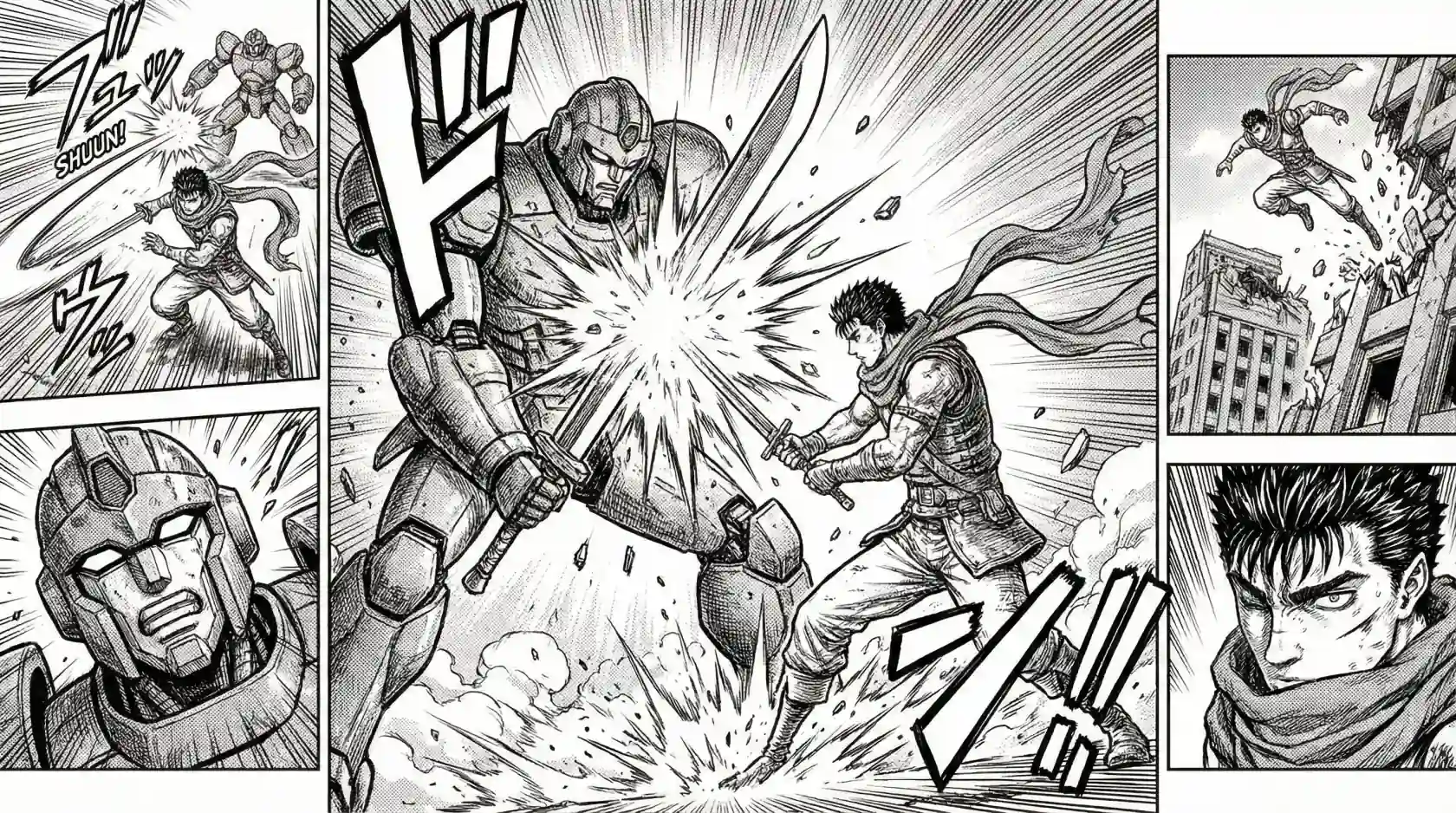
shot_01.webpshot_02.webpshot_03.webpshot_04.webpManga layout to editorial review set
A high-detail manga page where panels are not just simple rectangles in a spreadsheet grid.
shot_01.webpshot_02.webpshot_03.webpshot_04.webpManga layout to editorial review set
Separates the important story beats so editors can inspect composition, bubbles, and redraw notes panel by panel.
panel_01.pngpanel_02.pngpanel_03.pngpanel_04.png4-panel comic strip to numbered delivery pack
Detects panel boundaries, preserves the sequence, and gives the team four clean files for review or upload.
 scene_01.webpscene_02.webpscene_03.webpscene_04.webp
Vertical webtoon to mobile-ready scene slices
Cuts the scroll into reusable scene slices so layout, thumbnail, and short-form teams do not fight one giant image.
AI panel segmentation vs manual cutting
Manual slicing looks simple until every downstream teammate needs the same page prepared again.
| Workflow need | LlamaGen segmentation | Manual cutting |
|---|---|---|
| First-pass prep | Upload, preview, export | Draw every crop box by hand |
| Irregular pages | Layout-aware detection | Manual fixes for diagonals and overlaps |
| Speech bubble context | Reviewed with panel context | Easy to crop out or over-include |
| Downstream handoff | Reusable panel asset set | Each role often recuts the page |
| Repeatability | Consistent workflow for more pages | Quality varies by operator |
Piliin ang tamang plano para sa iyo
Mag-enjoy ng mataas na kalidad ng AI creativity gamit ang flexible na subscription plans.



Pamantayang Plano -20%
Mas maraming kredito, mas maraming opsyon sa paglikha
15,000 kredito na nire-renew buwan-buwan
Isang Pahina/Maramihang Pahina na Mode
Auto Captions
10 Custom na Comic Characters
Walang limitasyong paggamit ng GPT-4o
Mabilis na Paggawa
Advanced na AI image models
Matatag na resulta ng storytelling
Gumawa ng hanggang 20 panel bawat prompt
Pro na Plano -20%
Walang hanggang paglikha para sa walang hanggang ideya
45,000 kredito na nire-renew buwan-buwan
Lahat sa Standard Plan
Pagkakapare-pareho ng Karakter
Komiks Sa Video
Walang hangganang paggawa ng mga karakter
Pinakamabilis na Paglikha
Pangunahing mga termino sa negosyo
Walang limitasyong Templates
Nano Banana/FLUX/CyaniModel
Maagang access sa advanced na AI features
Gumawa ng hanggang 40 panel bawat prompt
Walang Limitasyong Plan -40%
Mabilis, para sa gamit pang-negosyo, at may eksklusibong access
135,000 kredito na nire-renew buwan-buwan
Lahat sa Professional Plan
Unlimited projects
Pagkakapare-pareho ng Karakter
Walang limitasyong mga karakter sa iyong komiks
Pinakamabilis na Paglikha ng Video
Global Language Suite
Pangunahing mga termino sa negosyo
Manedyer ng Account
Access sa gallery ng mga miyembro
Nano Banana/FLUX/CyaniModel
Gumawa ng hanggang 64 panel bawat prompt
Production Unlimited Plan -40%
Para sa mga propesyonal na creator. Pinakamainam para sa komiks, animasyon, pelikula, at serye.
270000 na kredito ay nire-renew buwan-buwan
Lahat ng nasa UNLIMITED
Unlimited projects
Unlimited story length
Pagkakapare-pareho ng Karakter
Walang limitasyong mga karakter sa iyong komiks
Pinakamabilis na Paglikha ng Video
Global Language Suite
Pangunahing mga termino sa negosyo
Manedyer ng Account
Nano Banana PRO Masterpiece
Gumawa ng hanggang 64 panel bawat prompt
Pakete ng Credits

6000
7,500credits+25.00%

12000
20,000credits+66.67%

30000
50,000credits+66.67%
Comic panel segmentation FAQ
Who is this comic panel segmentation tool for?
It is for comic studios, solo creators, localization editors, webtoon teams, archivists, and motion comic creators who need to turn finished pages into individual panel assets.
How is this different from a normal image cropper?
A normal cropper only cuts rectangles. LlamaGen is designed around comic page structure, so the page can be analyzed as panels, bubbles, captions, effects, and layout context.
Can it handle manga pages and irregular layouts?
Yes. The workflow is intended for manga diagonals, overlapping frames, action pages, western comic pages, and webtoon-style layouts, though every page should still be reviewed before production handoff.
What can I do with the extracted panels?
Use them for localization QA, lettering, redraw notes, motion comic timelines, webtoon adaptation, social thumbnails, archive cleanup, or design-tool handoff.
What formats can I upload?
The tool supports common image inputs such as JPG, PNG, and WEBP, and it can also work from an image URL when available.