

1
Write the brief
Define role, personality, age, silhouette, outfit, color language, props, and story context.
Turn one character brief into a complete visual system: portraits, full-body concepts, turnarounds, expression sets, pose references, outfit variants, storyboard scenes, and production-ready character art.
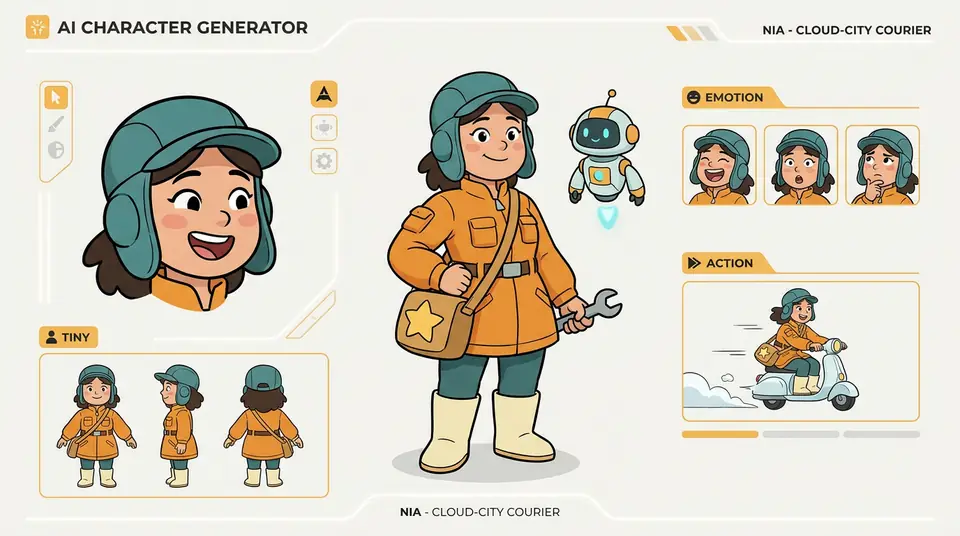
Build a reusable identity for the same character across styles, poses, expressions, props, turnarounds, outfits, and production handoff.
Character design workflow
This page is built for creators who need more than a single attractive portrait. It focuses on the repeatable workflow behind usable character design: prompt direction, style control, turnarounds, expression sets, pose variants, props, and review-ready references.
Use it when a character needs to stay recognizable across scenes, poses, thumbnails, reference sheets, and production notes instead of changing every time you generate a new image.
A promising character can lose face shape, costume details, or visual identity when each prompt starts from scratch.
Front, side, back, expression, and pose variants are expensive to commission and slow to revise manually.
Teams need to compare anime, comic, game, and stylized 3D directions without rebuilding the character brief every time.
Before
A rough character idea, a few disconnected prompt tests, and no shared reference for the production team.
After
A clear character system with style variants, consistent identity, pose ideas, expression notes, and reference-sheet outputs ready for review.
Get a reviewable visual direction before opening a full concept-art production round.
Reuse the same character direction across styles, poses, expressions, and reference-sheet views.
Case study
A small game or comic team can define the character brief once, generate several art directions, and keep the strongest reference set for modeling, panels, or marketing visuals.
Useful outcome
Less visual ambiguity before production: the team reviews the same character identity, costume language, and pose direction.
LlamaGen character design workflow, concept art and character reference planning
Keep personality, silhouette, outfit, palette, props, and complete character setting notes attached to the same creative source.
Plan front, side, back, close-up, full-body, outfit, and prop references before production.
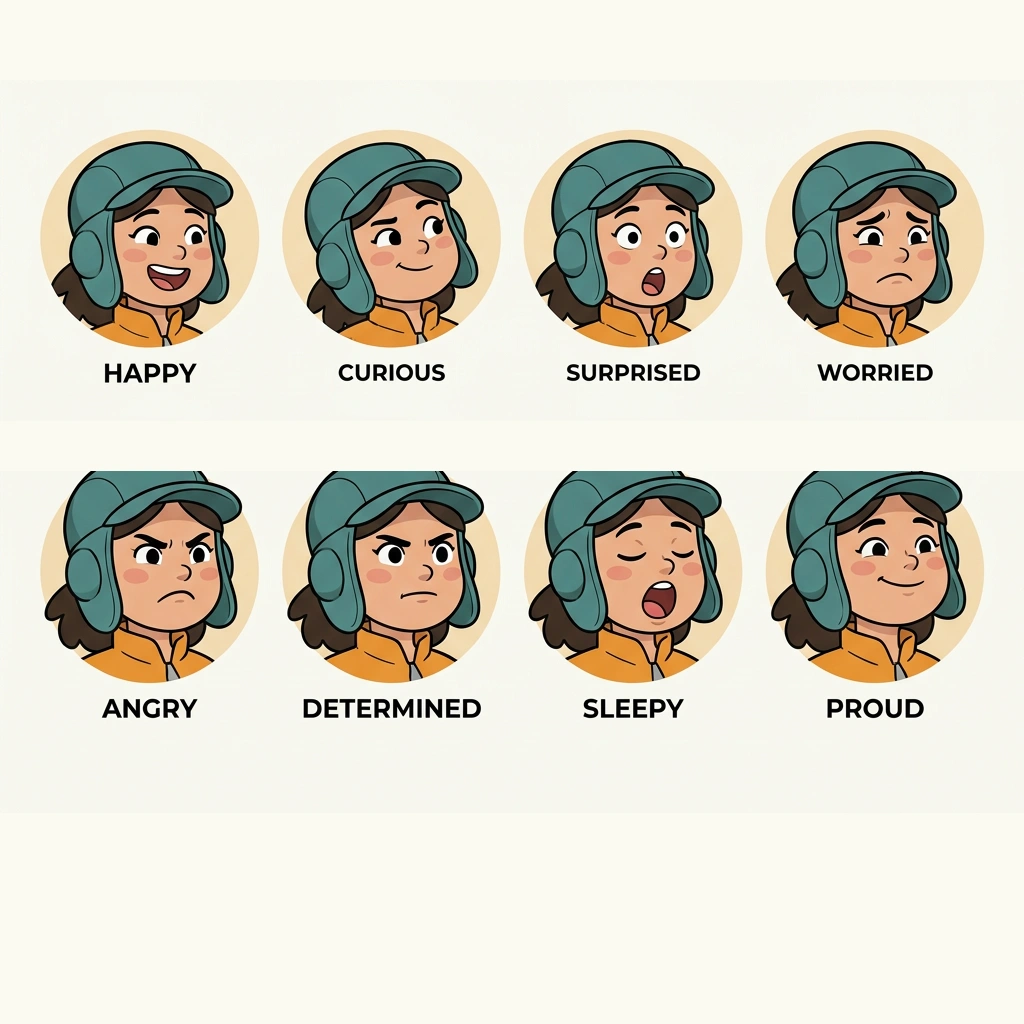
Show happy, curious, surprised, worried, angry, determined, sleepy, and proud versions of the same face.
Move from isolated portraits to turnaround, pose, outfit, and storyboard references a team can use.
LlamaGen helps you build a complete AI character design workflow instead of a disconnected gallery. Start with a cartoon character brief, lock the visual identity, then generate the model sheet, 8 expressions, 360 turnaround, poses, outfits, and storyboard scene references your team can discuss.
Define role, personality, age, silhouette, outfit, color language, props, and story context.
Explore anime, comic, painterly, realistic, stylized 3D, or game concept directions from one source.
Create portraits, full-body views, front-side-back sheets, and detail references for production review.
Generate 8 emotions, action poses, camera framing, outfits, and storyboard moments.
Use the strongest references for storyboards, comics, game assets, pitch decks, and model sheets.
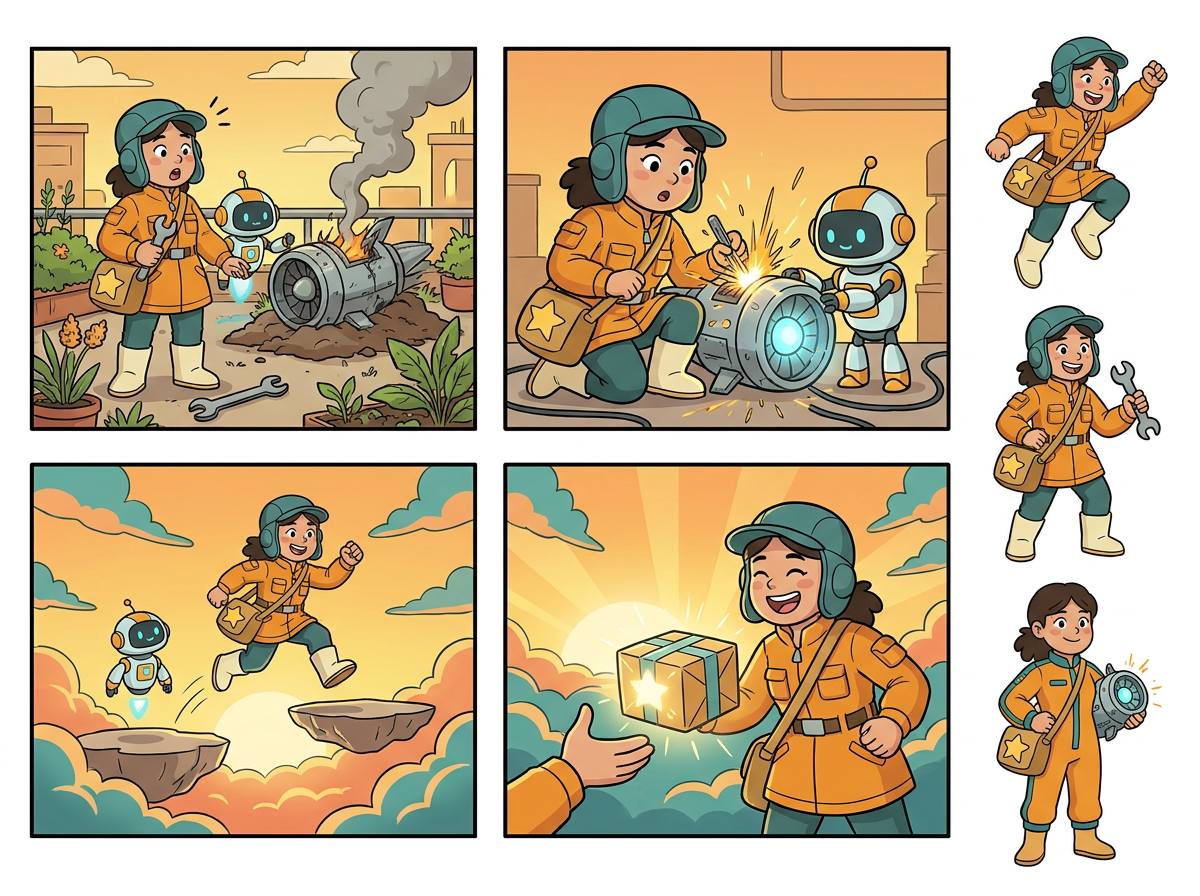
Upload a reference or write a compact brief, then turn the idea into a structured cartoon character package: art direction, front-side-back design sheet, 8 emotional variations, 360 turnaround, action poses, outfit notes, props, and export-ready scene images.
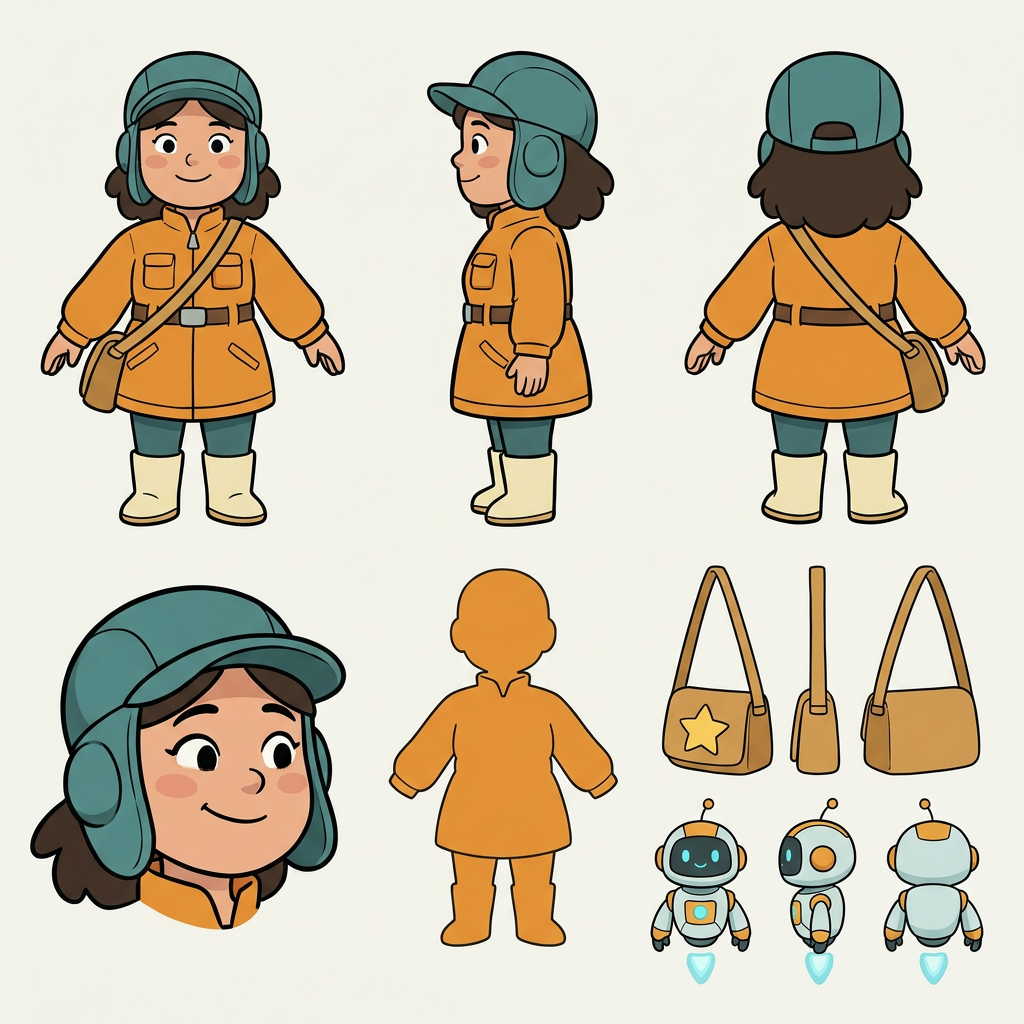
A character only works when the audience can recognize them again. LlamaGen helps preserve face shape, costume language, color palette, accessories, and story props across portraits, sheets, poses, and scene references.
Strong character design is not just a face. Control style, body language, camera angle, emotion, wardrobe, props, and relationship moments so the character is useful beyond the first portrait.
Compare anime, comic, fantasy, realistic, and stylized 3D versions while preserving the core character idea.
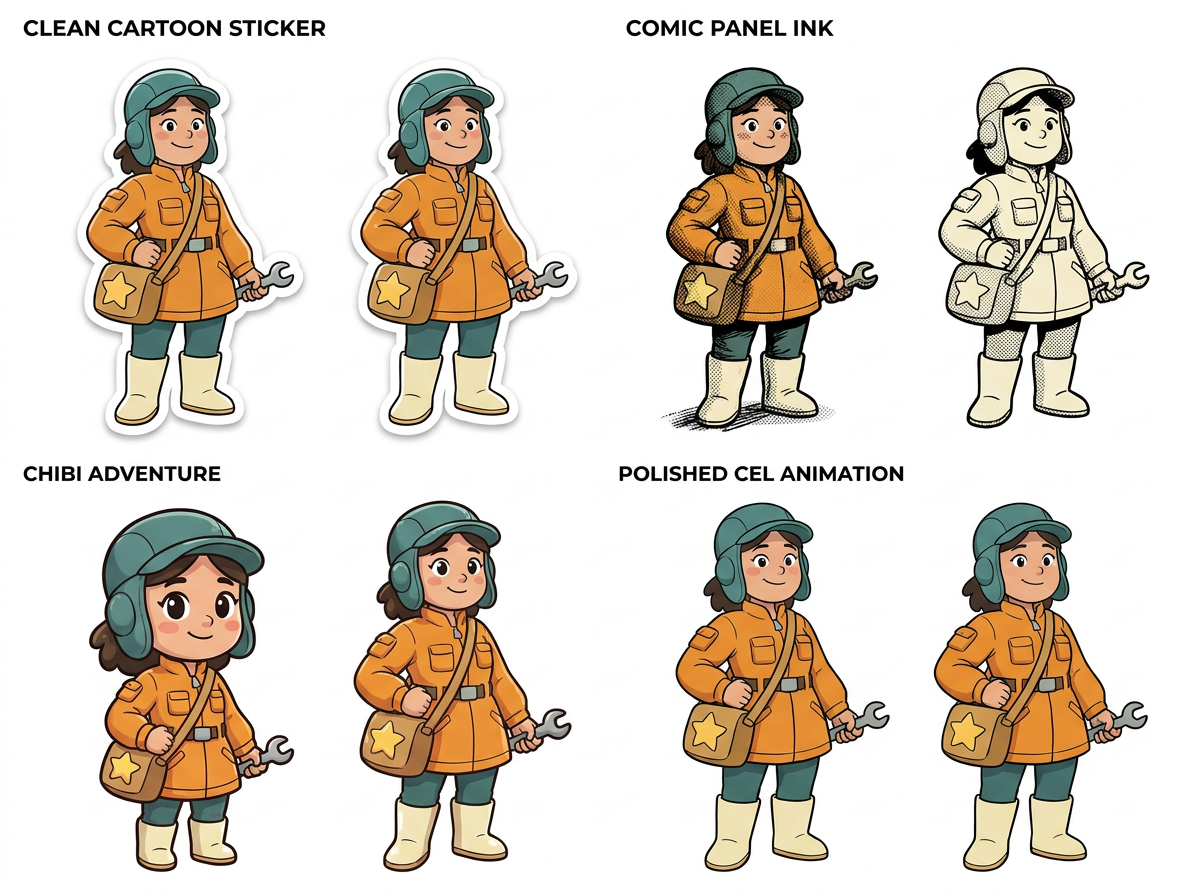
Create close-ups, full-body action poses, three-quarter views, and camera-aware references for visual storytelling.
Generate joy, anger, fear, confidence, surprise, and neutral states that keep the same face and personality.
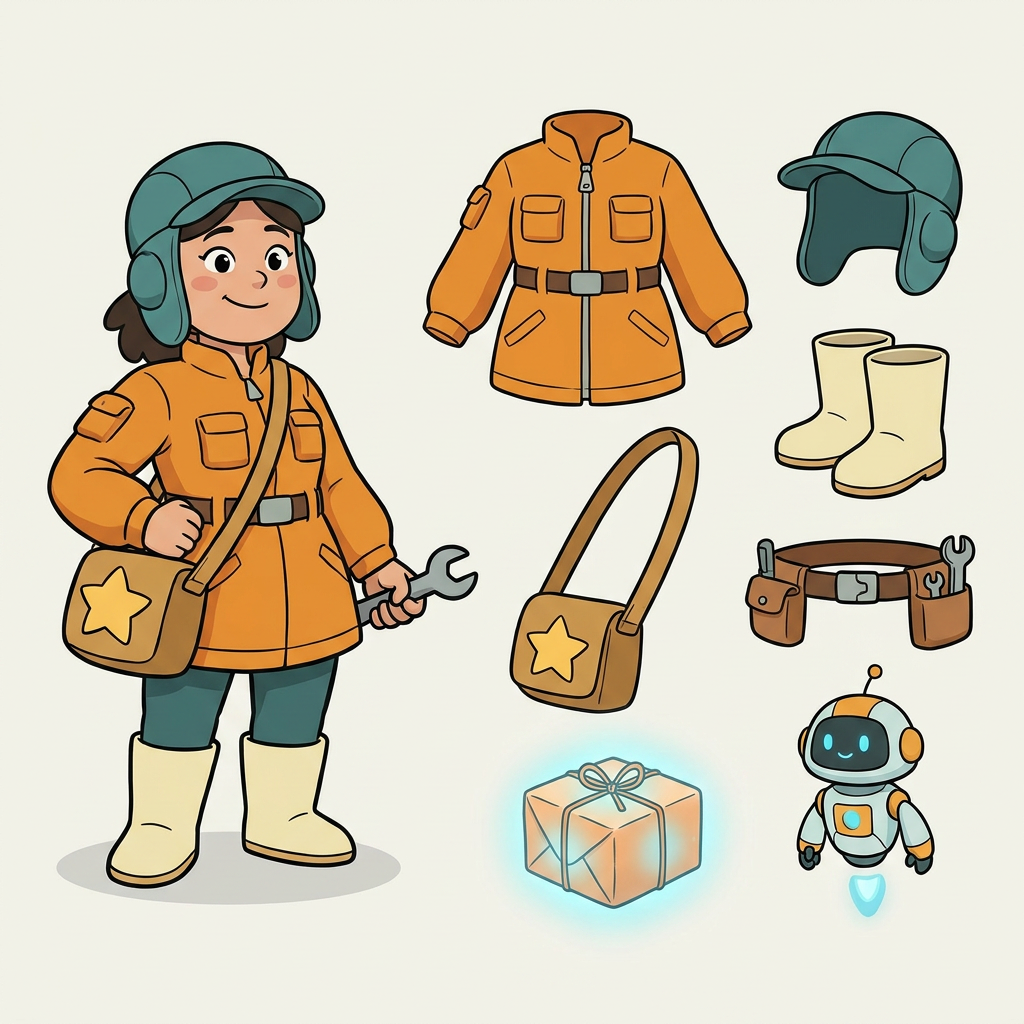
Plan the wardrobe, tool belt, signature bag, helper robot, glowing parcel, and storyboard continuity around the same character.
A professional cartoon character generator should output the references a production team actually asks for: emotional range, model-sheet views, rotation reference, and storyboard-ready action scenes.
8 emotional variations
Happy, curious, surprised, worried, angry, determined, sleepy, and proud faces for the same cartoon identity.
Front, side, and back views
A clean production sheet with full-body views, head close-up, outfit silhouette, signature bag, and companion prop.
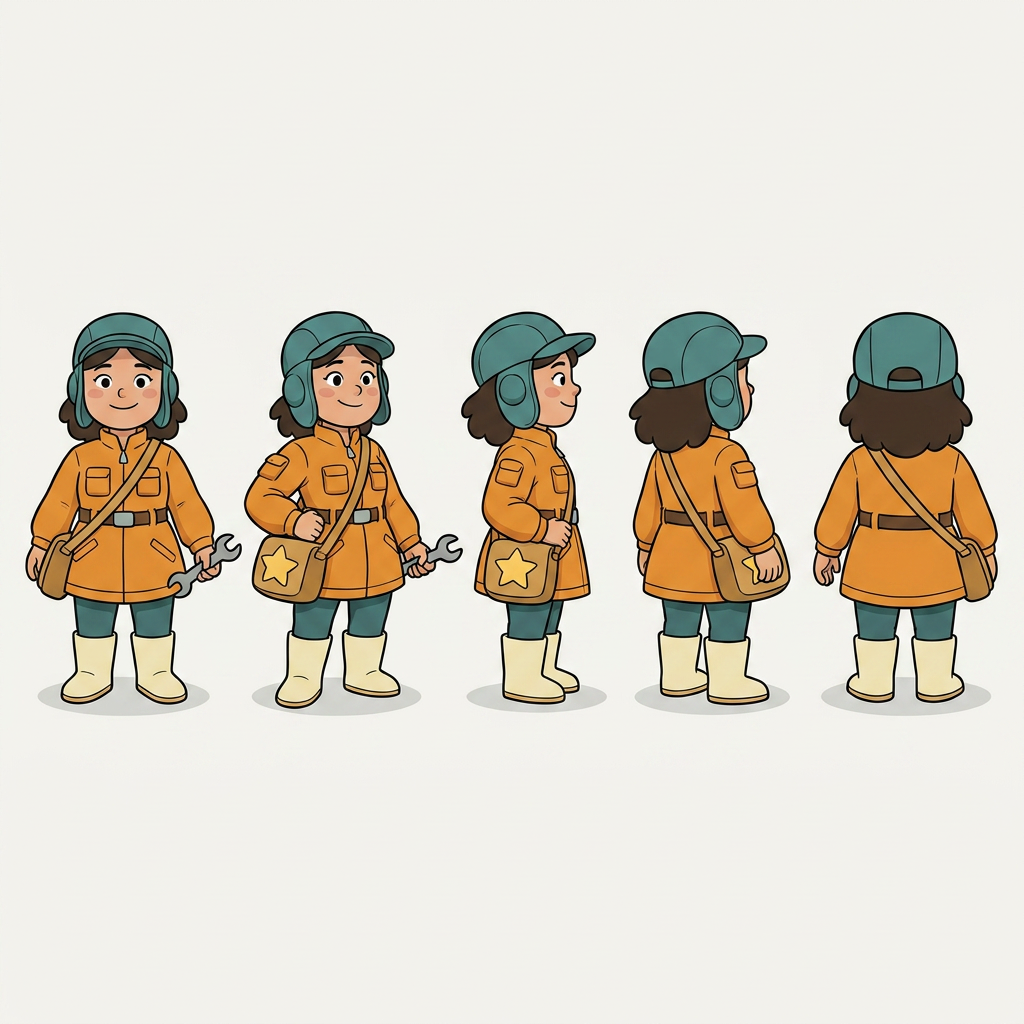
360 degree rotation reference
Front, three-quarter, side, three-quarter back, and back poses for modeling, animation, and consistency review.
Dynamic poses and outfits
Storyboard panels, action poses, alternate outfit, and scene continuity for a rooftop star-engine delivery adventure.
A production team does not need one lucky image. It needs a wall of references that proves the character can survive different styles, angles, emotions, outfits, and scene requirements.
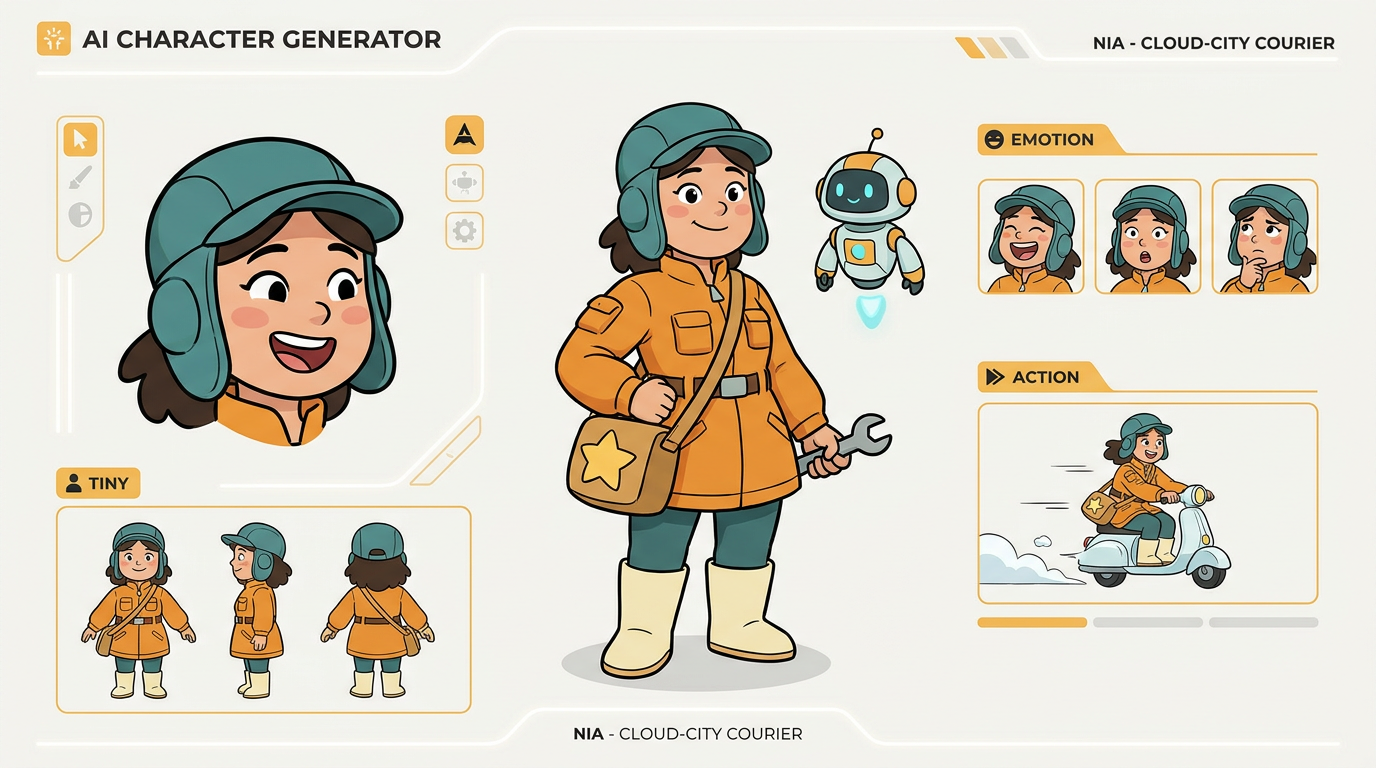
Identity
Turnaround
Emotion
Style
Props
Pose
Turnaround
Scene
Use one AI character design workspace for concept exploration, identity consistency, pose and expression control, model-sheet thinking, multi-character scenes, and visual handoff.
Preserve the same face, silhouette, outfit, palette, and props across generated references.
Character consistency
Create front, side, back, close-up, and full-body views for modeling and visual review.
Turnaround sheets
Generate emotional range while keeping the same face, personality, and story role.
Expression design
Control outfit details, accessories, weapons, tools, and hero objects for stronger storytelling.
Wardrobe and props
Compare anime, comic, fantasy, realistic, and stylized 3D looks from one brief.
Style direction
Design character actions and scene continuity for comics, storyboards, visual novels, games, and campaigns.
Storyboard scenes
Generate close-ups, full-body action, camera-aware poses, and scene-ready compositions.
Pose and framing
Collect the best portraits, sheets, expressions, and references for artists, clients, and teams.
Production handoff
Clear answers about consistency, styles, character sheets, commercial use, and workflow handoff.
Yes. New users can start with free credits to test quality and workflow speed. If you need higher volume, you can top up credits or choose a paid plan.
You can generate Anime, Realistic, 3D, Watercolor, Pixel Art, and more. You can also control detailed attributes such as age, hair style, clothing, and visual style direction.
Use a reference image, keep key prompt attributes stable, and reuse seed/settings across generations. This preserves identity across poses, scenes, and style variations.
Yes. You can use generated characters in games, comics, animation projects, marketing assets, and other commercial workflows.
Browsing can be done without sign-in. To generate new characters, save projects, and manage outputs, you should create an account.
Yes. Uploading reference photos helps match a target look and maintain consistency when creating multiple poses and scene variants.
Create a reusable character direction for games, anime, comics, VTuber concepts, storyboards, and pitch-ready visual worlds.