


1. Upload character photos
Start with one clear portrait for free. Upgrade when you need multiple recurring characters in the same comic.
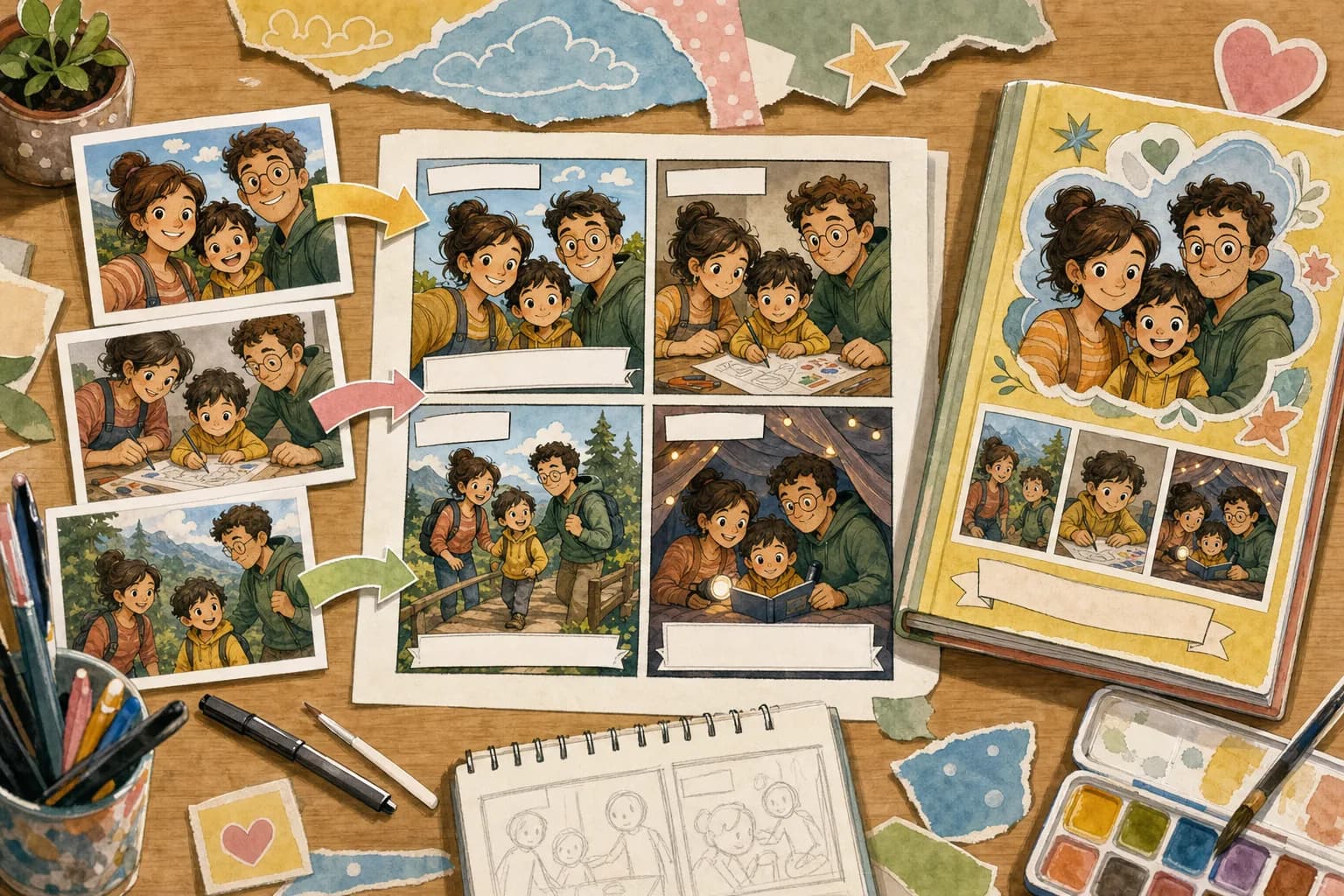
Upload reference photos, name the characters, describe the memory or story, and create an editable comic with recurring characters, captions, panels, and a keepsake-style flow.
Core Tool
Start with one photo and one story prompt. The page now uses the lightweight LlamaGen comic composer while keeping the character-comic intent front and center.
A short path from reference photos to an editable comic project
Start with one clear portrait for free. Upgrade when you need multiple recurring characters in the same comic.

Add the relationship, memory, tone, optional quote, page count, and panel count so the comic has a real story arc.

Open the result in LlamaGen's comic studio for prompts, panels, captions, refinements, and export-ready work.
Character Consistency
Upload character reference photos, name each role, and add personality or outfit notes. LlamaGen uses those references when building the comic project so recurring characters are easier to follow.
Add Character References
Story-First Comic Creation
Instead of applying a one-off filter, choose pages, panels, tone, quotes, and a comic style. The output opens as a project you can keep refining.

The page is not just a filter. It is a guided comic project builder.
Use real people, family members, students, friends, or original characters as visual references.
Capture the relationship, moment, tone, and optional quote before the panels are generated.
Generate a comic project with prompts, panels, captions, and room for refinements instead of a single flat image.
Free vs paid value
This comparison pulls the paid value directly from LlamaGen plan features: more credits, HD output, consistency controls, editing tools, exports, templates, and commercial terms.
Use the quick filter for a single image. Use the full creator when the character needs to appear across a story.
LlamaGen keeps the input simple, then unlocks deeper controls as the project becomes more personal.
| Feature | LlamaGen Character Comic | Basic Photo Filter |
|---|---|---|
| Input | Character photos, names, descriptions, relationships, memory, tone, quotes, pages, and panels. | One uploaded image and a style choice. |
| Character continuity | Plan-based reference limits help users choose the right number of recurring characters. | Usually creates one image without story continuity. |
| Output | Editable comic project with panels, captions, prompts, and studio refinements. | A single transformed picture. |
| Best use | Personalized gifts, family stories, classrooms, church activities, and recurring original characters. | Fast avatars, profile images, and one-off social posts. |
Generated with Gemini 3.1 Flash
Use one character for a quick draft or add more references for a longer keepsake story
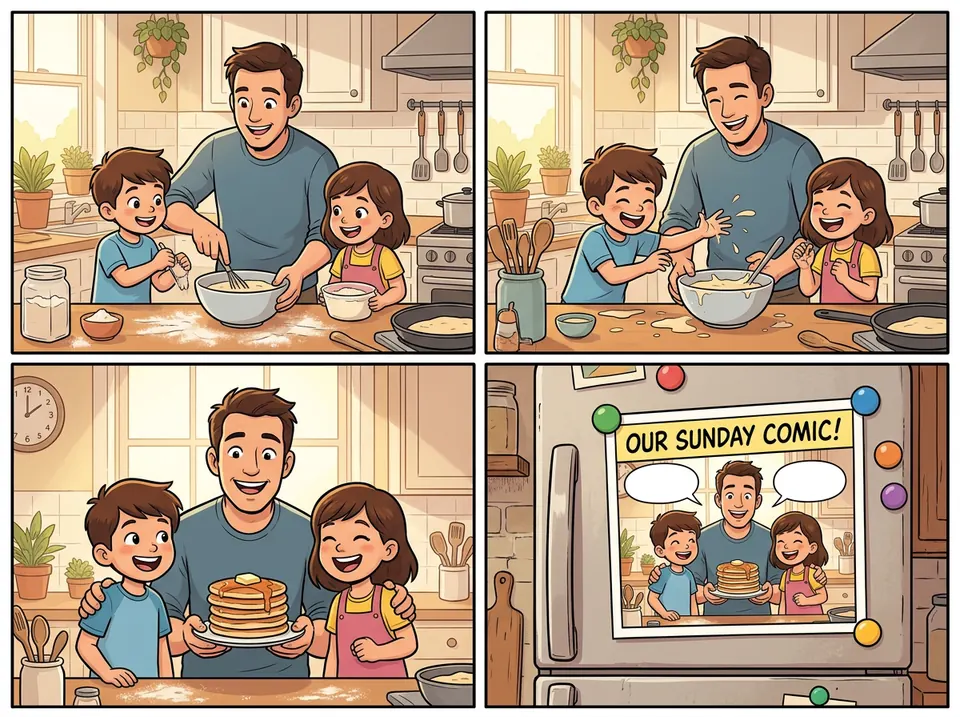
Four-panel case
A casual family snapshot becomes a warm comic sequence with a small mishap, shared laugh, and keepsake-style final panel.
Turn this family breakfast picture into a joyful 4-panel comic memory.
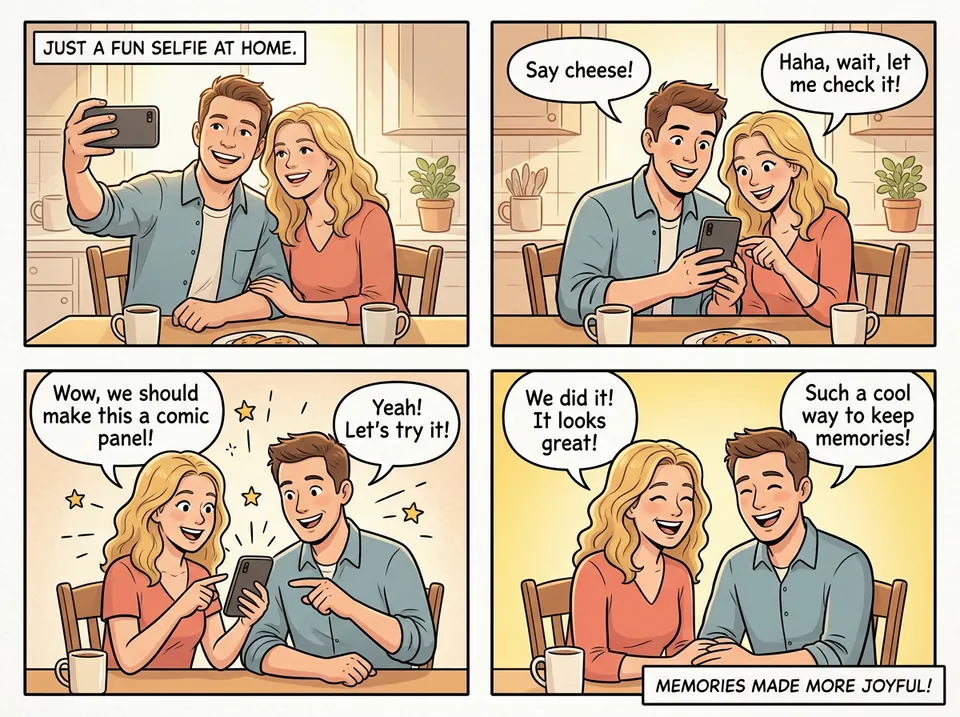
Four-panel case
A simple home selfie turns into a light, expressive comic strip that keeps the emotion of the original moment.
Make this selfie feel like a cheerful comic page about keeping memories.
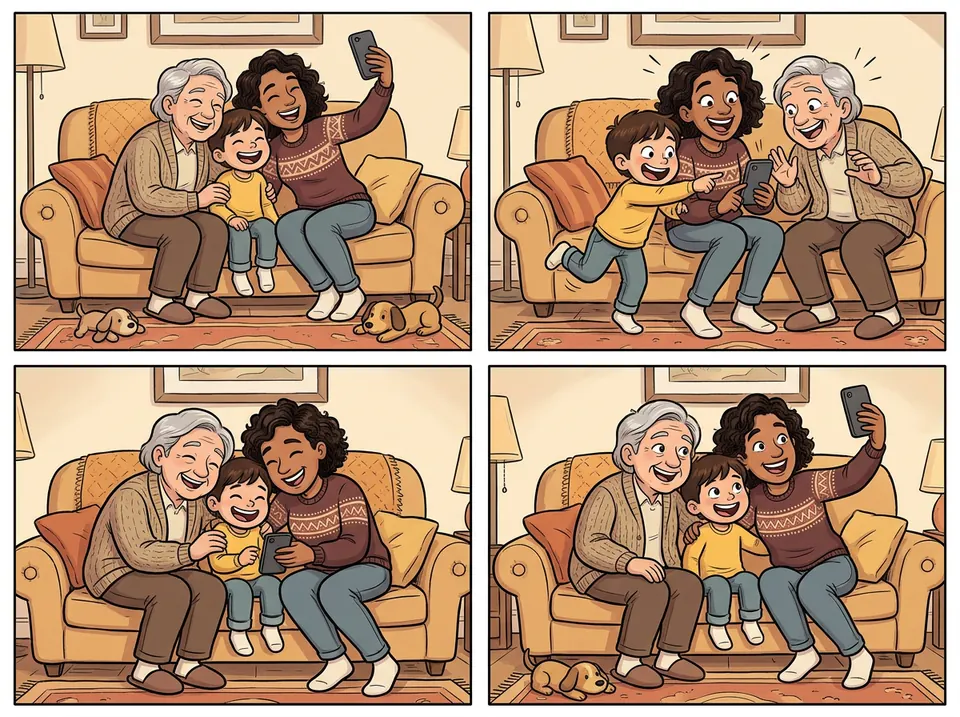
Four-panel case
A couch selfie with three generations becomes a clean four-panel comic with consistent characters and an easy family mood.
Create a funny, wholesome 4-panel family comic from this living-room selfie.
Trusted by comic creators and enthusiasts worldwide
I use this to quickly prototype panel layouts. It captures the American comic style perfectly.
Stan M.
Comic Artist
The manga filter is amazing. I can turn my cosplay photos into actual manga pages.
Emily R.
Manga Fan
Great for getting inspiration when I am stuck. The noir style is particularly impressive.
Chris P.
Illustrator
Yes. Upload clear reference photos, name the characters, and describe the memory, lesson, gift idea, or story you want to turn into panels.
The upload workflow supports common image formats such as JPG, PNG, GIF, WebP, HEIC, and HEIF. Paid attachment workflows can also support documents for story notes.
Paid plans include general commercial terms and commercial-use templates. Free output is best for testing whether the comic direction works.
A filter restyles one image. This workflow turns reference photos and story details into an editable comic project with panels, captions, and continuity.
Free is built for one character reference and a short draft. Paid plans unlock more references, longer personalized comics, imports, stronger consistency, and studio exports.
LlamaGen uses your character references, names, notes, style choices, and prompt context to make recurring characters easier to recognize across the comic.
Start with one photo, then add story details, more characters, and longer pages when the comic deserves it.
Create My Comic