Gift icon
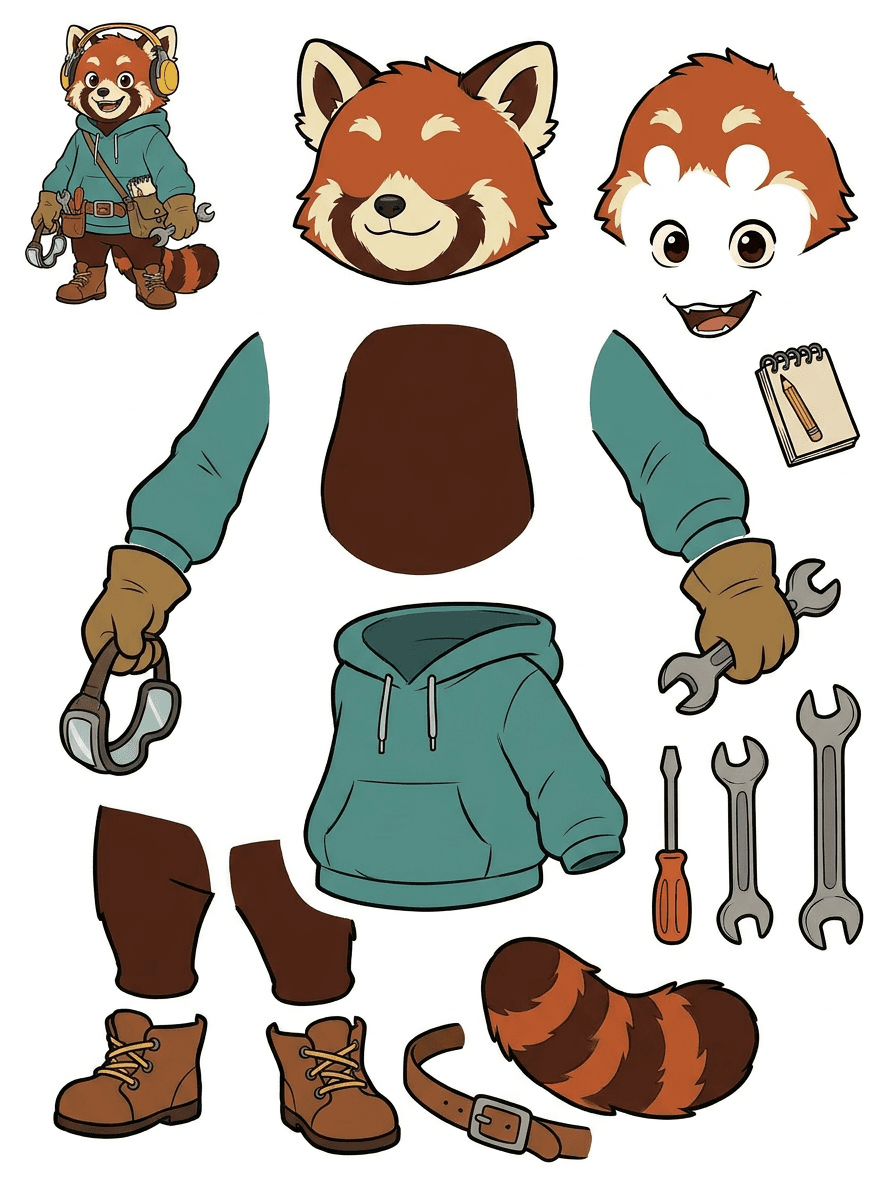
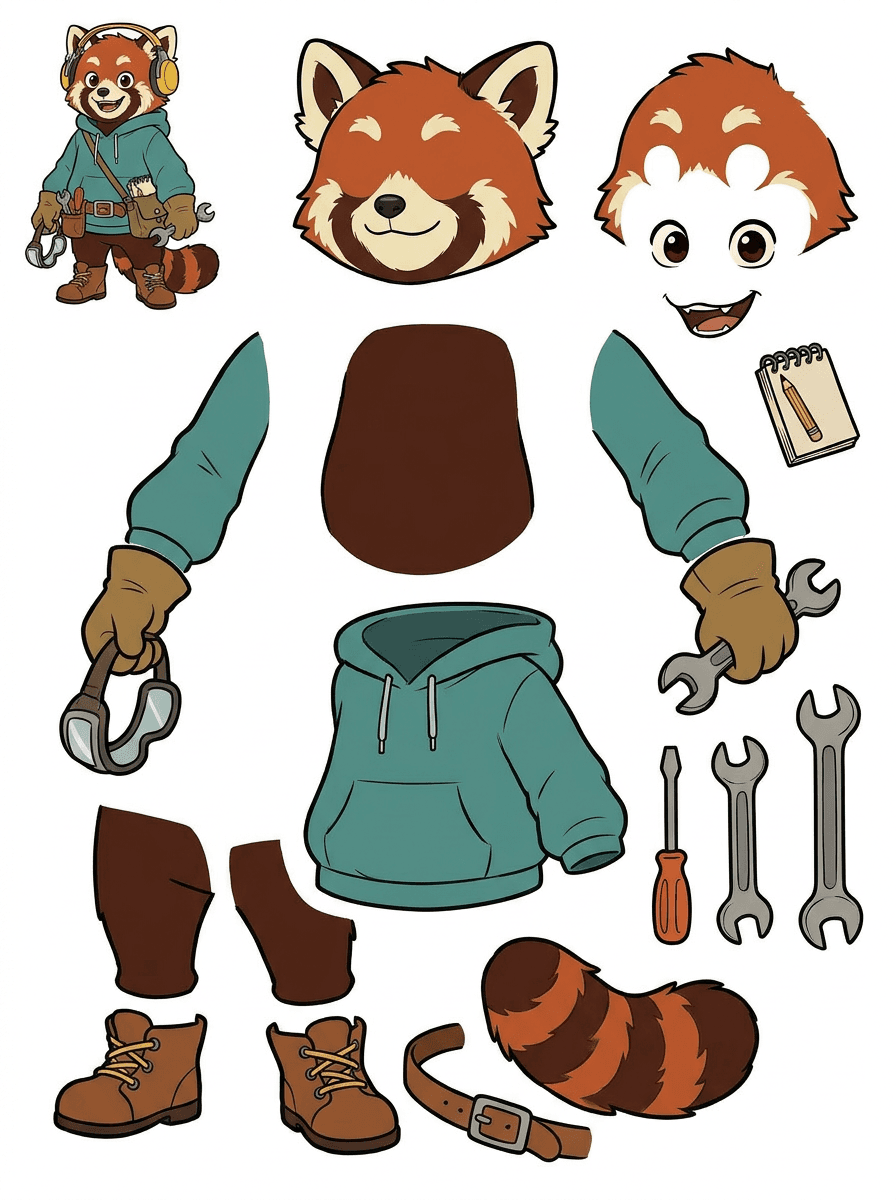
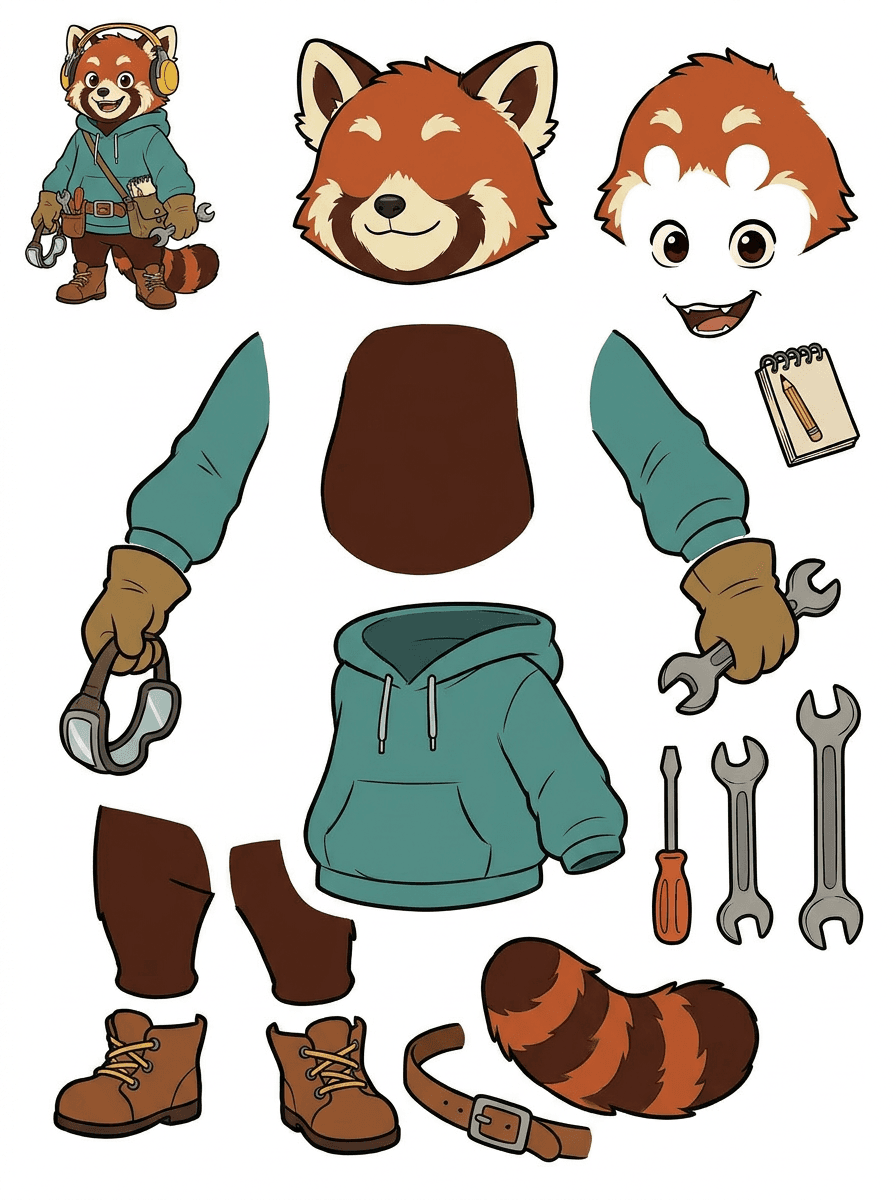
AI layer splitter output sheet with separated cartoon mascot parts
Character asset workflow

AI Layer Splitter for Cartoon, Anime, and Game Character Assets

Upload one polished character image and turn it into a readable parts sheet for animation blocking, game sprite prep, Live2D planning, motion comics, and fast creative edits.

1Cartoon mascot layers
2Game character asset sheets
3Anime-ready part separation

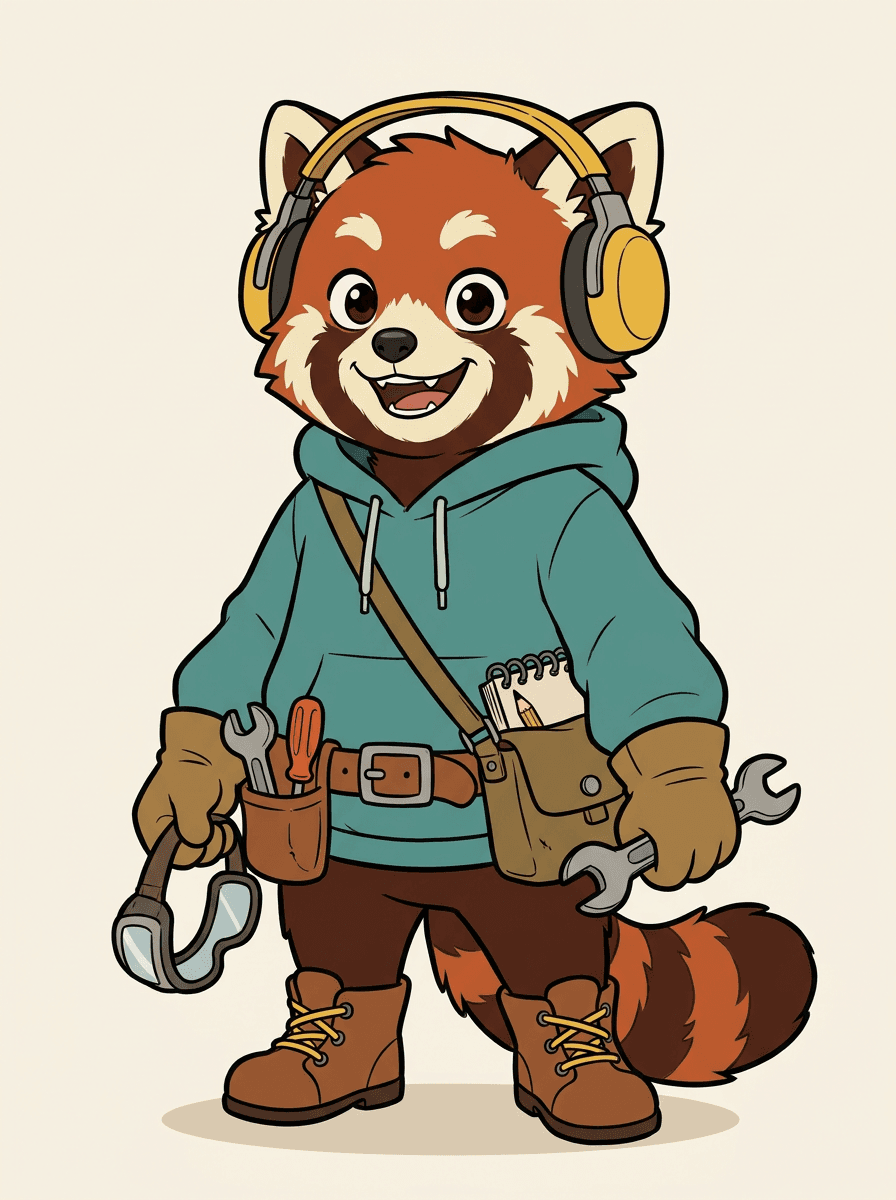
Before: one flat mascot

Original cartoon red panda inventor mascot before AI layer splitting

After: production parts sheet

AI layer splitter output sheet with separated cartoon mascot parts

A single clean mascot image becomes separated head, clothing, limbs, shoes, tail, props, and accessories for motion and game production.

Live workbench

Try the loaded sample, then replace it with your own character.

The workbench starts with a real sample so the before/after result is clear immediately. Use Quick Mode for a fast reviewable sheet; use PRO when a clean source deserves a higher-quality separation pass.

Sample preloadedQuick and PRO modesDownloadable asset sheet
Compare plans
Sample loaded

Separate one image into editable layer assets

Start with the loaded sample or upload your own cartoon character, game hero, anime character, mascot, prop, product shot, or illustration.

One-click sample

Run the loaded sample first, then replace it with your own image.

Layer quality tips

Check source quality before spending on a PRO run.

300 credits

Generate the sample output and download the result from the preview.

Original
High-quality source image for AI Layer Splitter
Asset Sheet
High-quality AI Layer Splitter asset sheet output
Current Plan: Free Plan (Quick Mode 300 credits)
1

Source

Ready

2

Mode

Quick Mode

3

Result

Pending

Input Preview
Example

Use a clean source for better layers

Best results come from one clear illustrated subject with visible parts. If a result merges or distorts parts, crop closer, remove background marks, or try Quick Mode before spending on a PRO run.

Best inputs

  • One clear illustrated character, prop, or mascot
  • Full shape visible with space around wings, hands, hair, and accessories
  • Simple background, strong outlines, and clean color separation

Avoid

  • Crowded photos, overlapping subjects, or tiny hidden details
  • Paper guide lines, handwritten text, sketch marks, or shadows touching the subject
  • Parts covered by the body, clothing, props, or cropped frame edges

Sample is ready

Quick Mode creates a reviewable asset sheet and is the safest first run.

Recommended

Asset Sheet Preview

Ready to generate

Source
Layer splitter source
Sample result
Layer splitter sample output

Demo image is loaded

Create the first result, then replace the image when you're ready.

Input: 1 source image -> Output: pending
Layer asset workflow

Move from finished art to assets your team can animate, edit, and ship

AI Layer Splitter is for creators who already have a strong character image but need the practical production pieces behind it: hair, face, outfit, limbs, props, accessories, and background separation.

Primary audience

Cartoon, anime, game, and motion-comic creators

The page targets artists, indie game teams, animators, marketers, and ACG creators who need one beautiful image to become reusable production assets without spending the whole session masking.

Flat art blocks motion

A polished PNG cannot blink, parallax, swap props, or become a sprite until the main pieces are separated.

Manual masking drains creative time

Selection tools, edge cleanup, and layer naming can take longer than the first animation test.

Revision loops get expensive

Changing one glove, bag, shoe, tail, helmet, or ribbon can turn into a full repaint when every part is fused together.

The aha moment

Before

One attractive character image that looks complete, but is still locked as a single flat bitmap.

After

A readable asset sheet with visible parts separated so artists can plan motion, edit details, and hand off production references.

Layer split workflow
  1. 1Upload one clean cartoon, game, anime, mascot, or prop image.
  2. 2Generate a Quick sheet first to inspect whether visible parts separate well.
  3. 3Use PRO when the source is clean and the project needs a higher-quality pass.
  4. 4Download the sheet for animation blocking, sprite planning, or creative editing.
Production ROI
Minutes
First asset sheet

Create a reviewable separation pass before opening a full manual masking workflow.

1 image
Reusable production start

Move from a single character image into parts for animation, game, and edit handoff.

Case study

Mascot image to motion plan

A brand mascot can move from one static illustration into separated head, tail, shoes, bag, clothing, and accessory references for fast animation planning.

Result

Artists can review which parts are usable, decide whether to rerun with PRO, and start cleanup from a concrete sheet instead of a blank masking session.

LlamaGen layer workflow

cartoon, anime, and game asset prep

From flat image to production sheet

A practical workflow for character layers

Treat AI Layer Splitter as the first production pass: prove which parts can be separated, review the sheet, then hand it to animation, game art, or editing tools.

1

Start with one clean image

Use full-body character art, mascot art, anime key art, game concepts, props, or product-style illustrations with visible edges.

2

Generate the first sheet

Quick Mode creates a fast visual checkpoint so the team can see hair, face, clothing, hands, props, shoes, and accessories in context.

3

Upgrade only when it is worth it

PRO Mode is best after the first sheet proves the source is readable and the project needs a cleaner model pass.

4

Handoff with confidence

Use the downloaded sheet for motion blocking, rig planning, sprite references, repainting, or creative compositing.

The goal is a reviewable production starting point, not a vague AI demo.

Layer production pipeline

Turn one image into parts,then into motion-ready assets

A good split sheet gives teams the planning layers they need: the original source, visible part separation, a readable asset sheet, and a handoff path for animation, games, and edits.

Source image
Part map
Asset sheet
Handoff
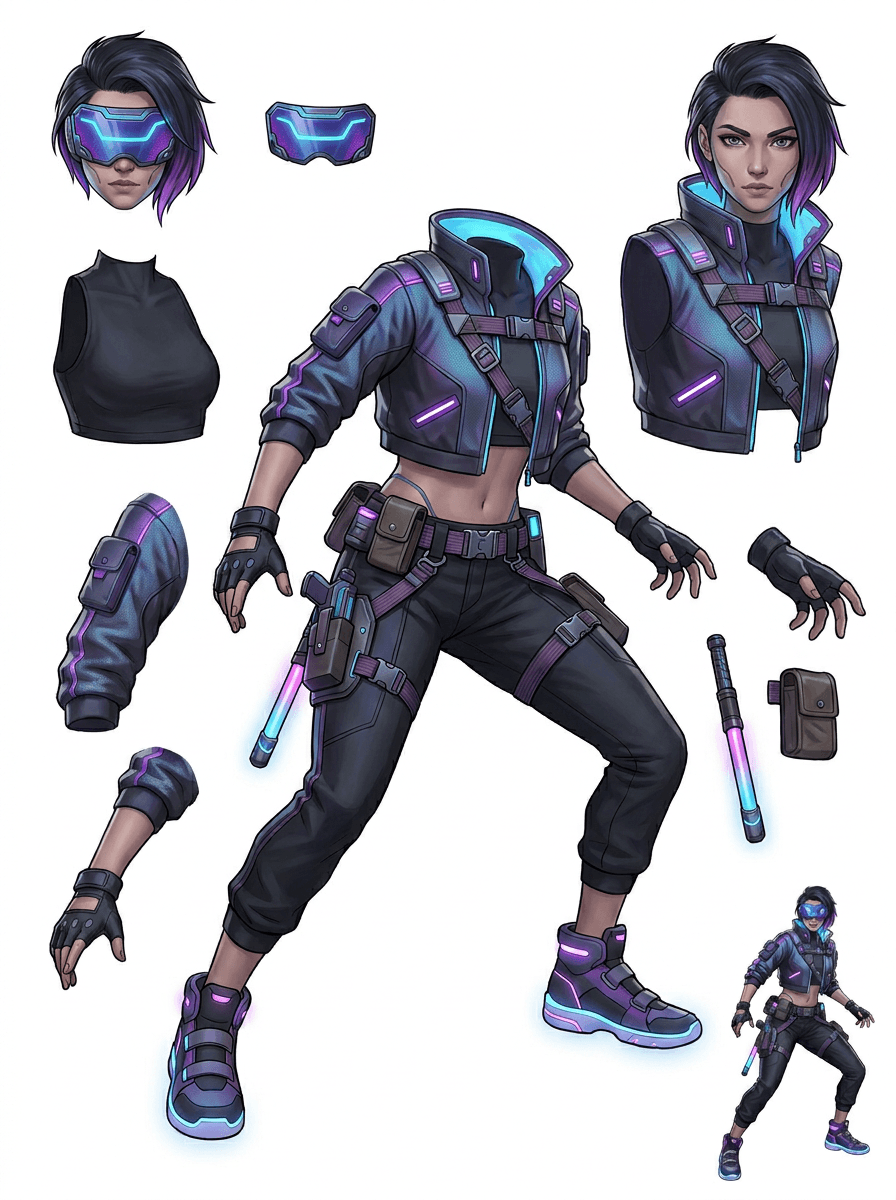
Separate cartoon mascots into expressive heads, hands, shoes, tails, clothing, props, and brand accessories.
Break game character concepts into practical references for sprites, UI portraits, inventory props, equipment variants, and animation tests.
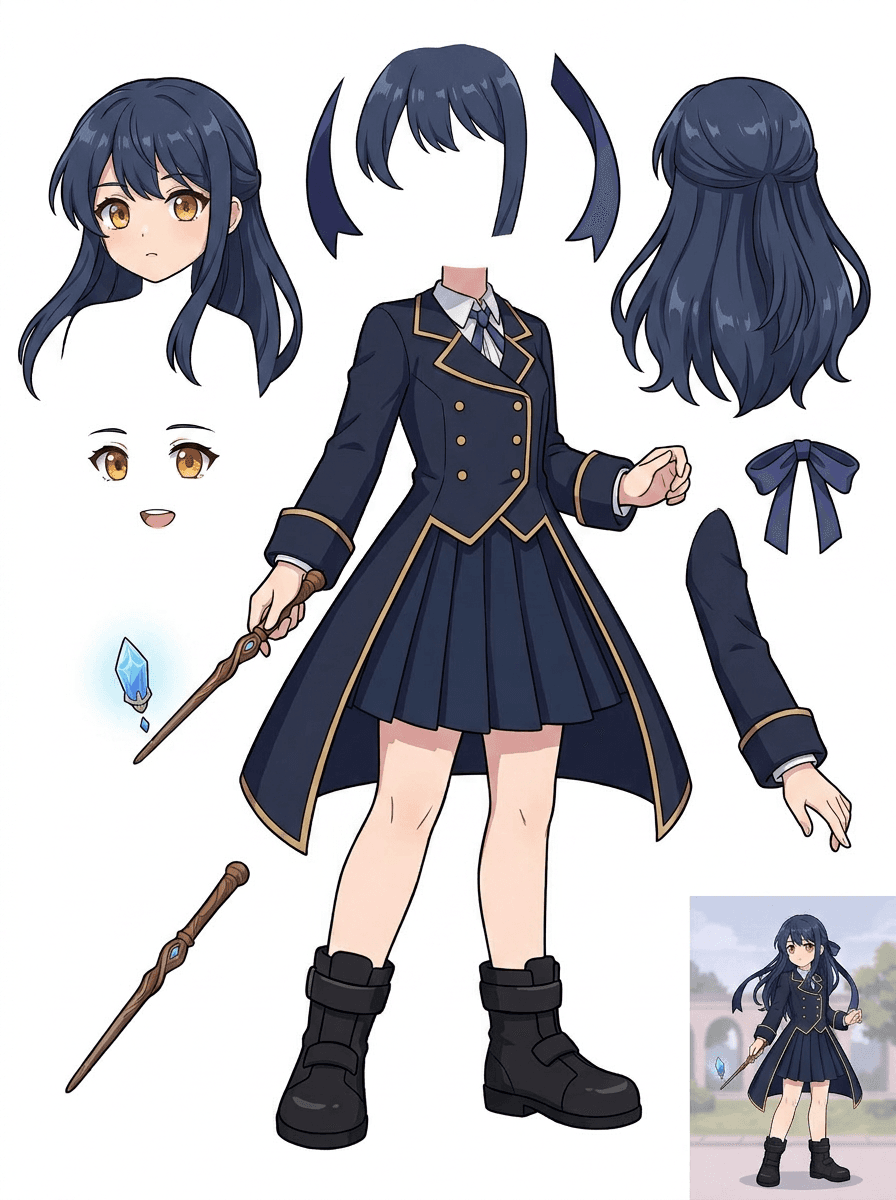
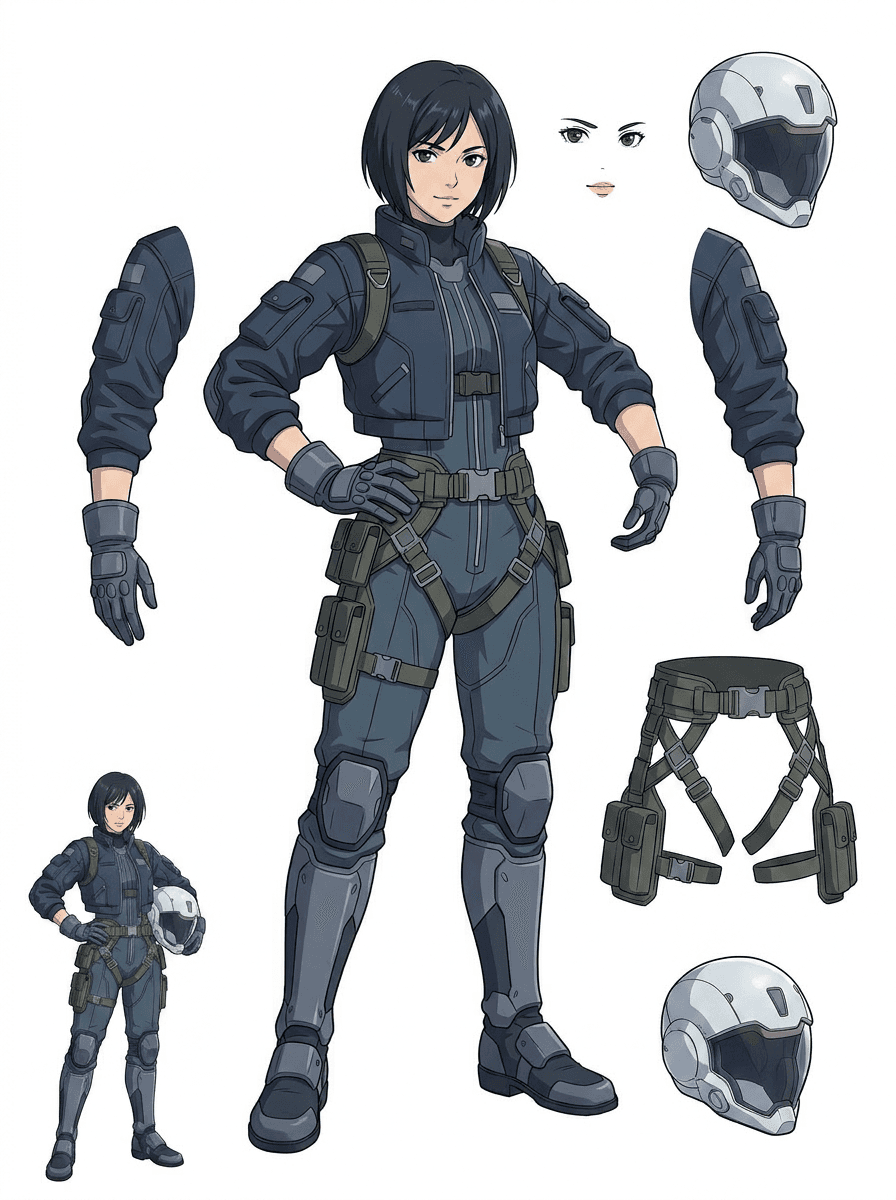
Prepare anime-style characters for face, hair, outfit, ribbon, helmet, glove, boot, and prop edits without rebuilding the concept from scratch.
Use the first sheet to decide whether the source needs cleanup, cropping, or a PRO pass before deeper production work.
Create a layer sheet
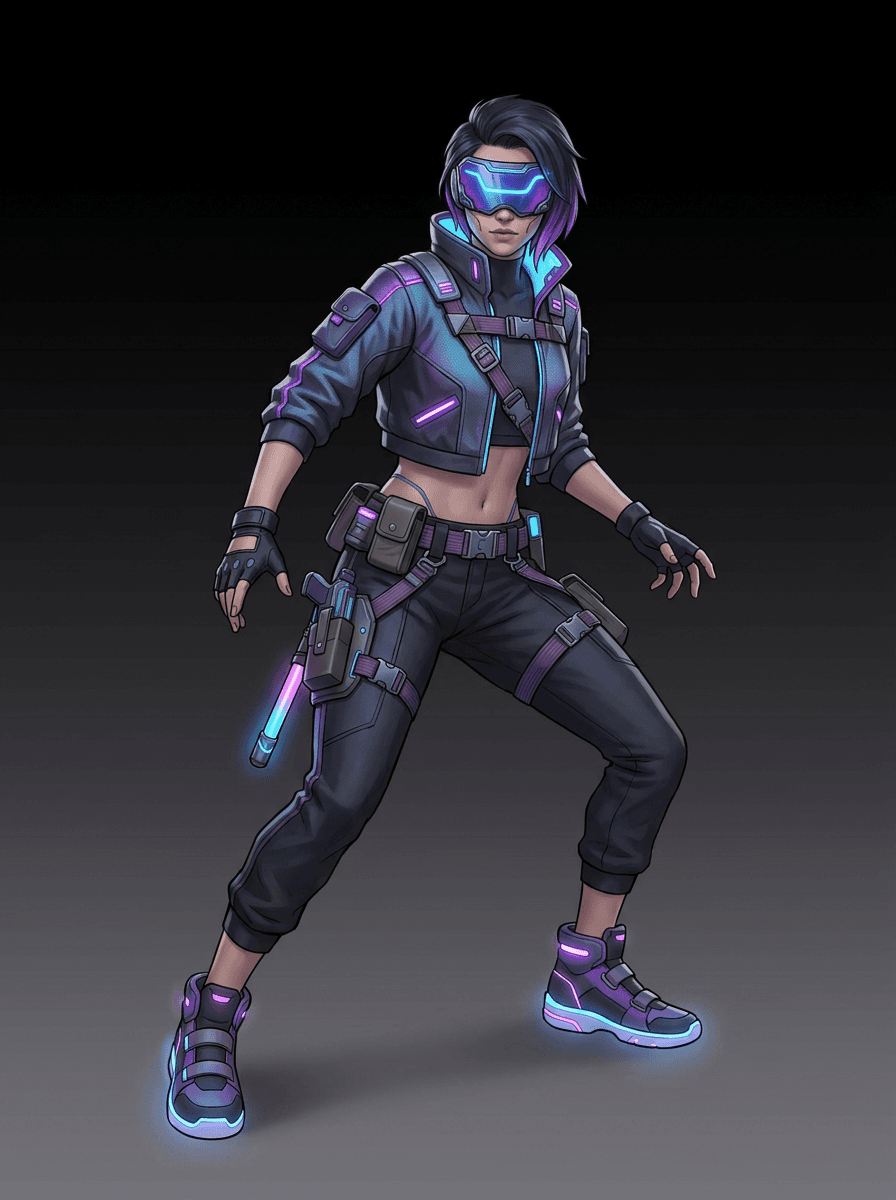
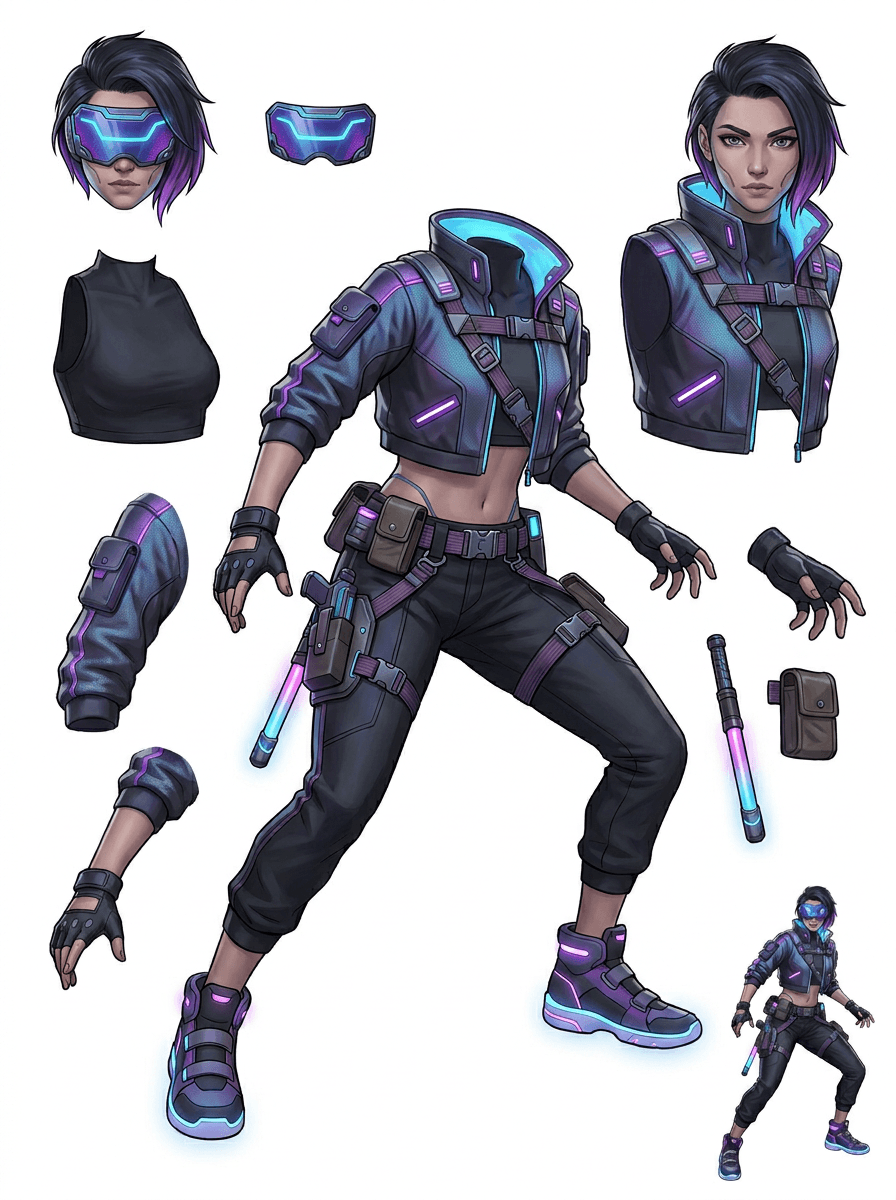
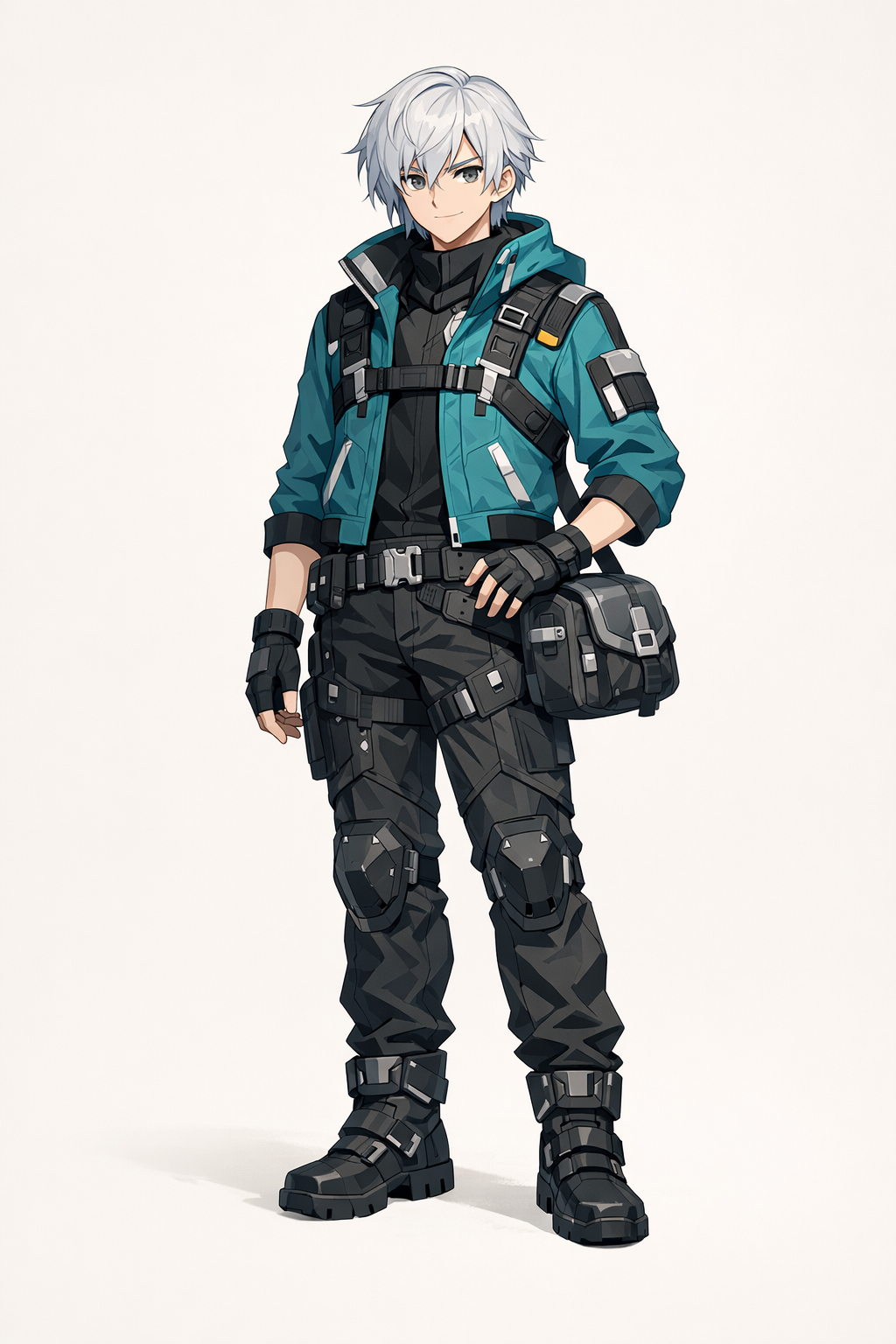
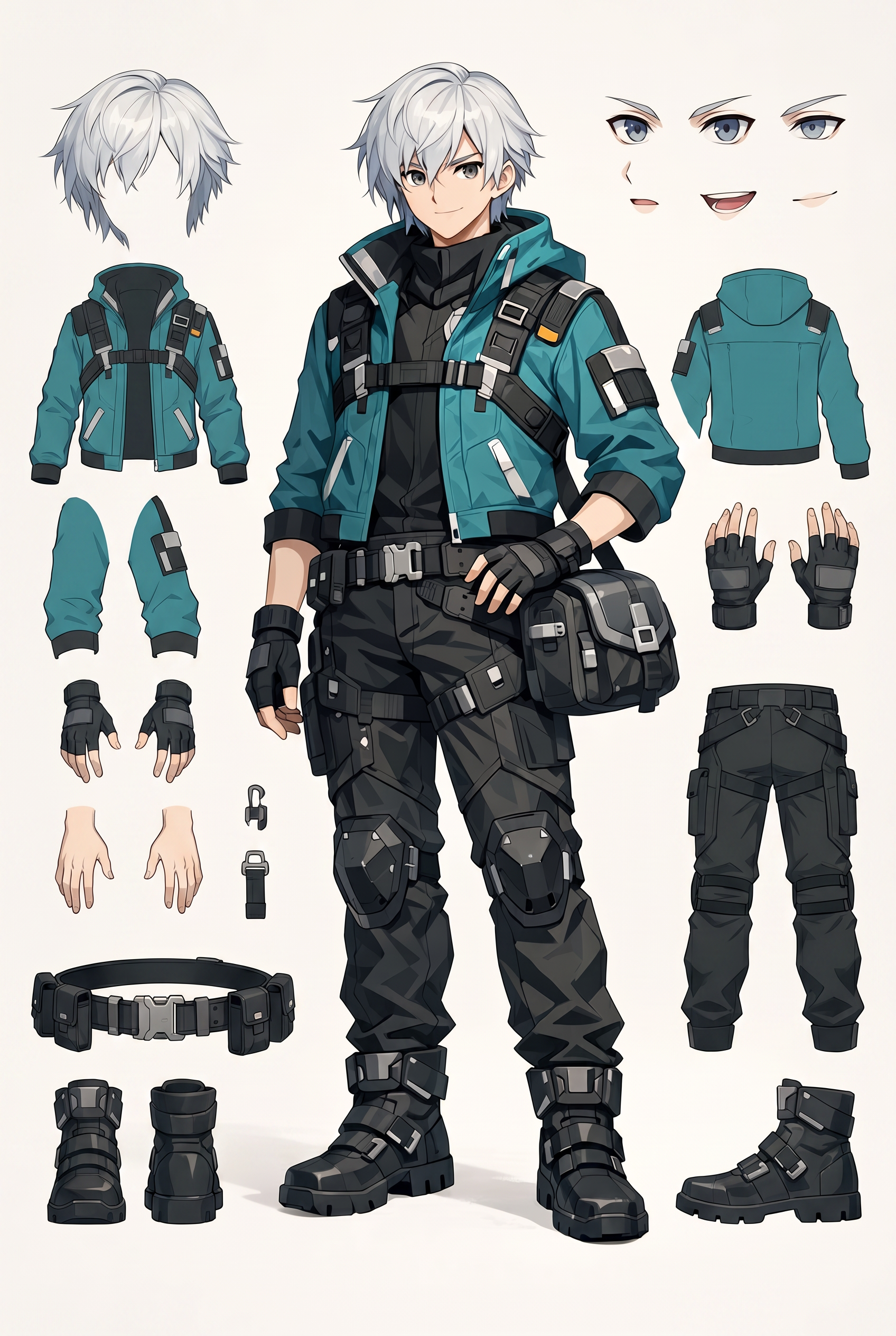
AI layer splitter pipeline showing a cyberpunk game character split into production asset parts
Example coverage

Built around the character types creators actually upload

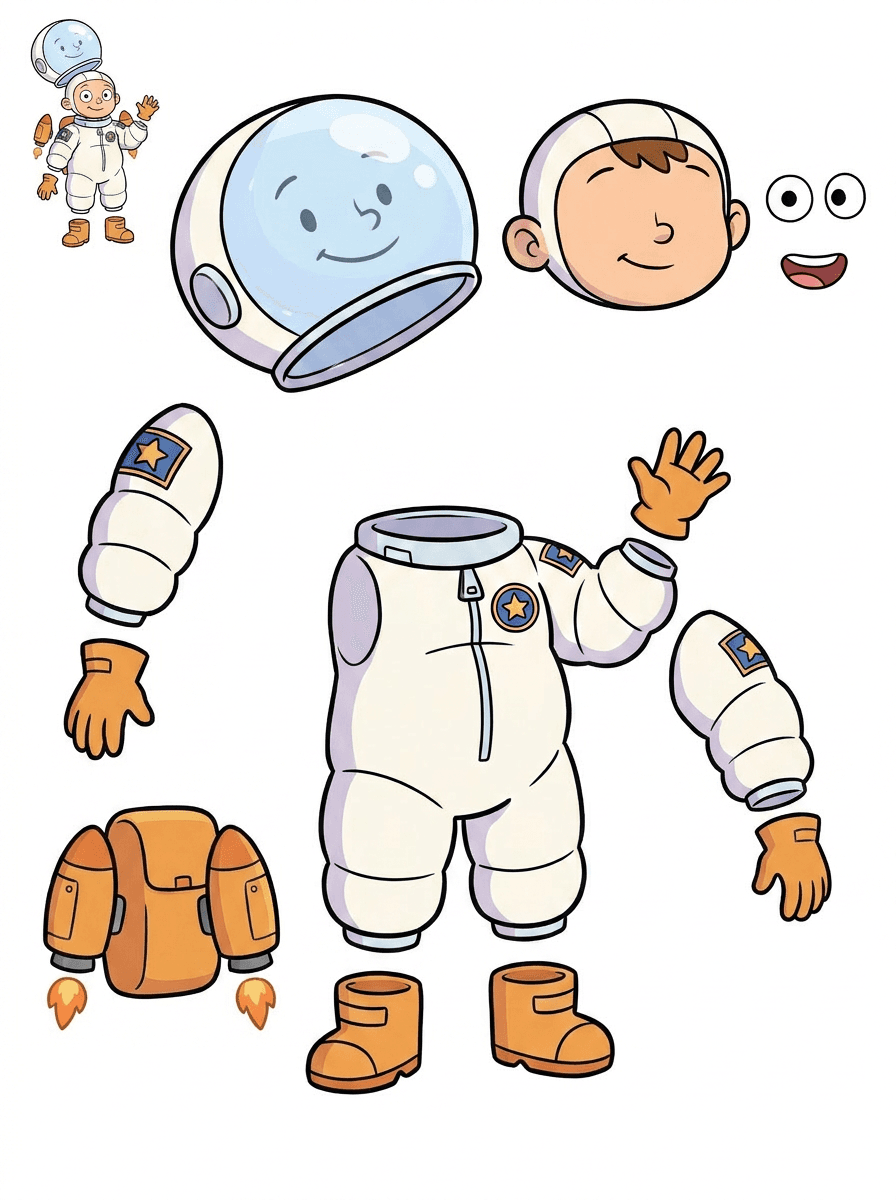
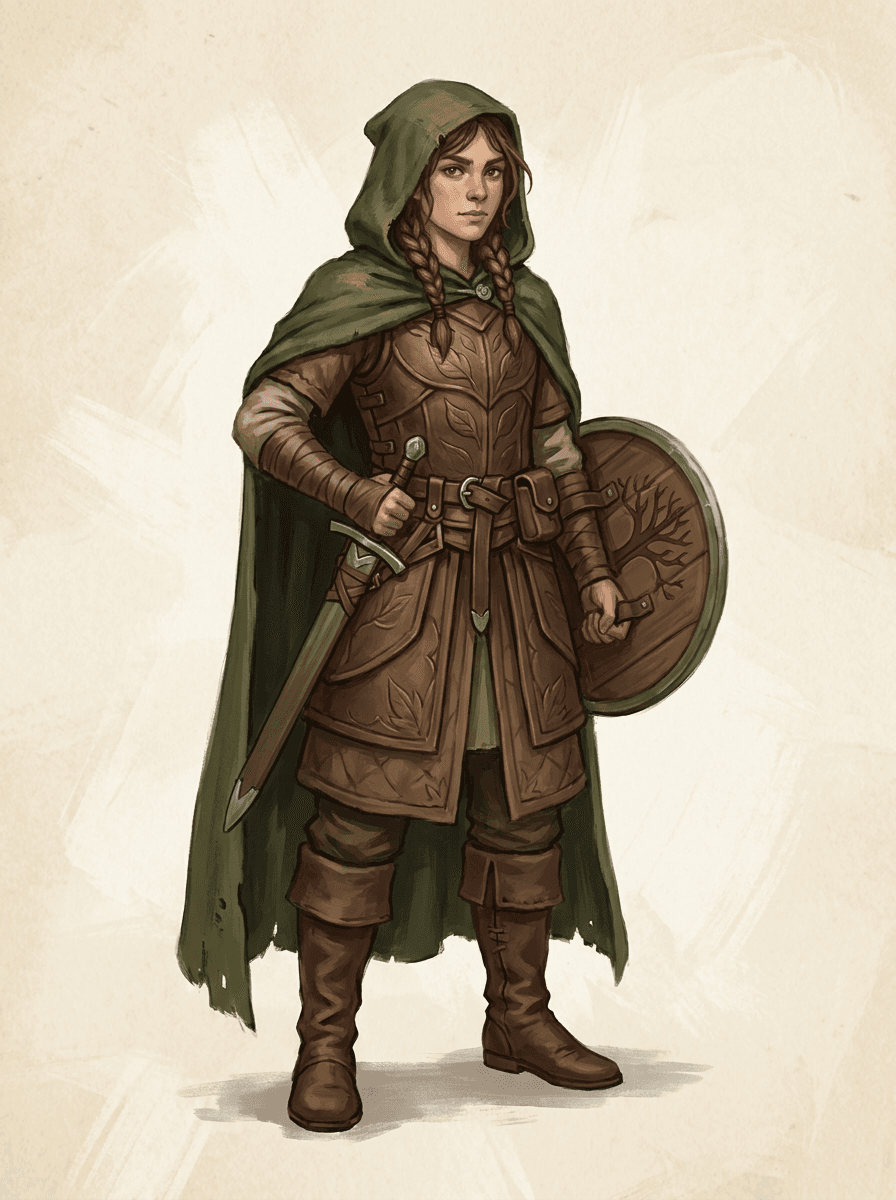
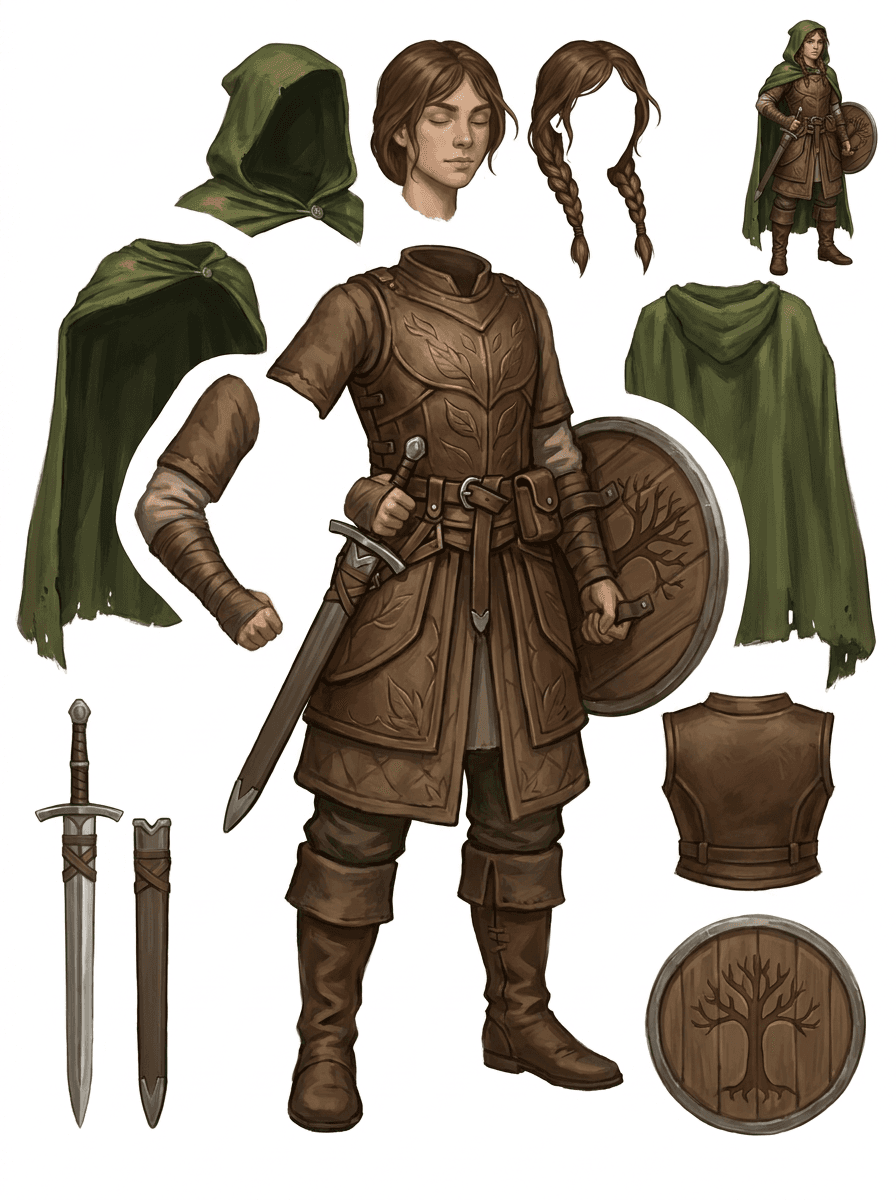
The Gallery is organized around the main production scenarios: cartoon mascots, game characters, and anime characters. Each example uses an original AI-generated source image and a matching split asset sheet.

Cartoon characters

Mascots, kid characters, sticker-like heroes, and motion-comic characters with expressive props and accessories.

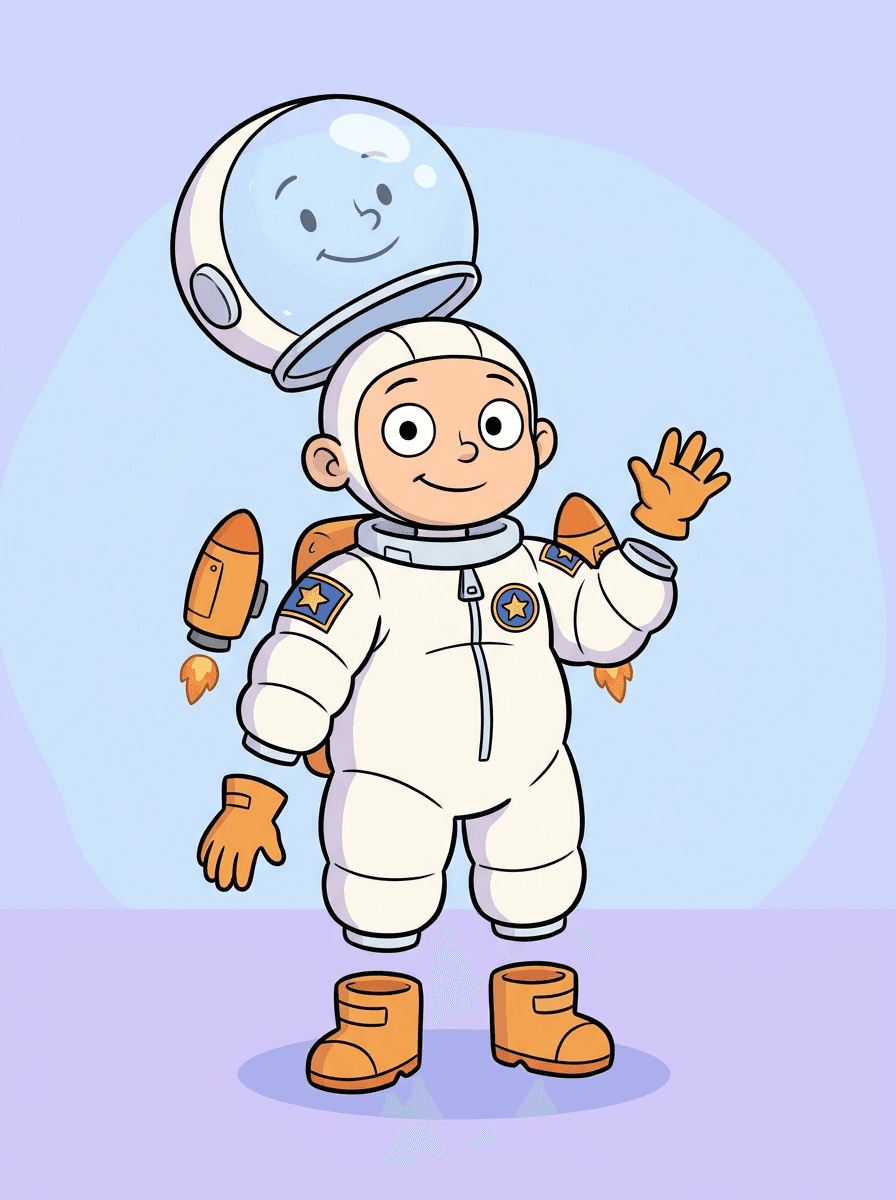
Red panda studio mascot
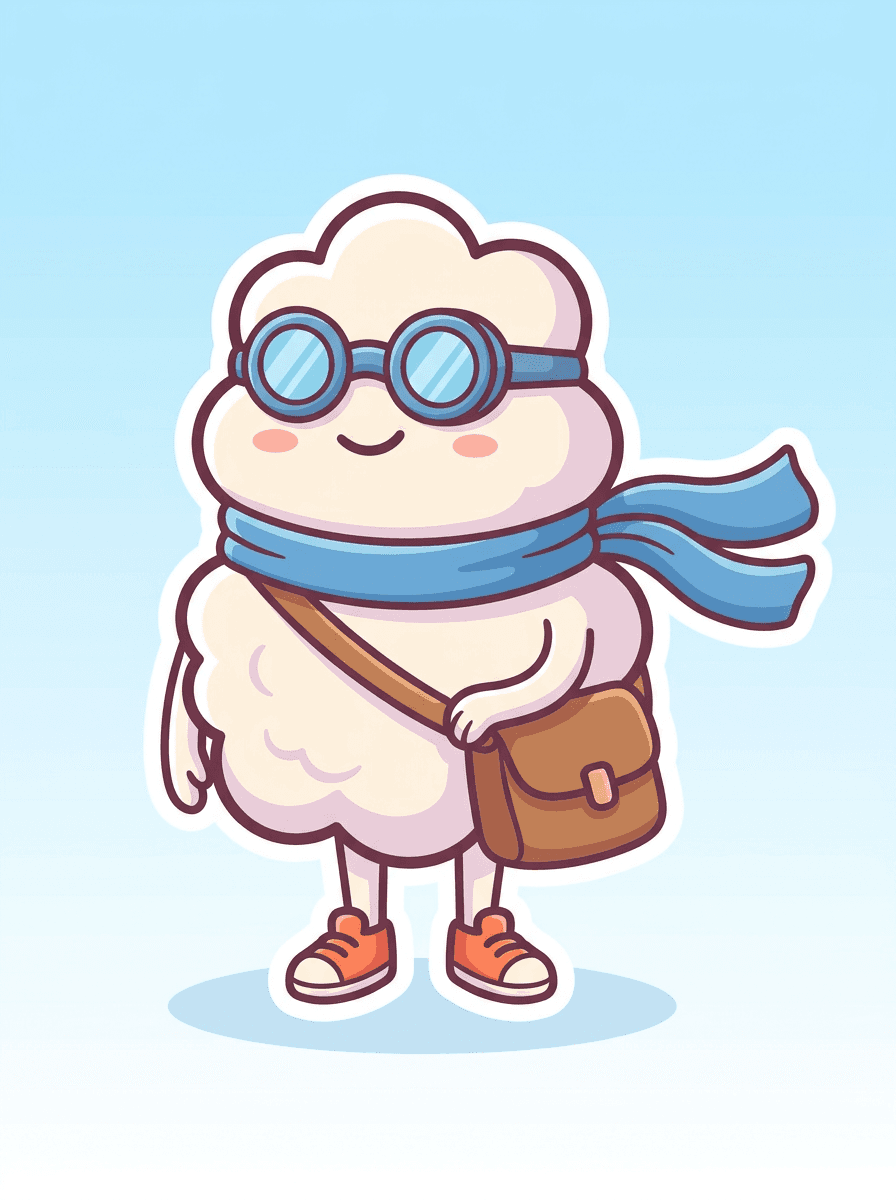
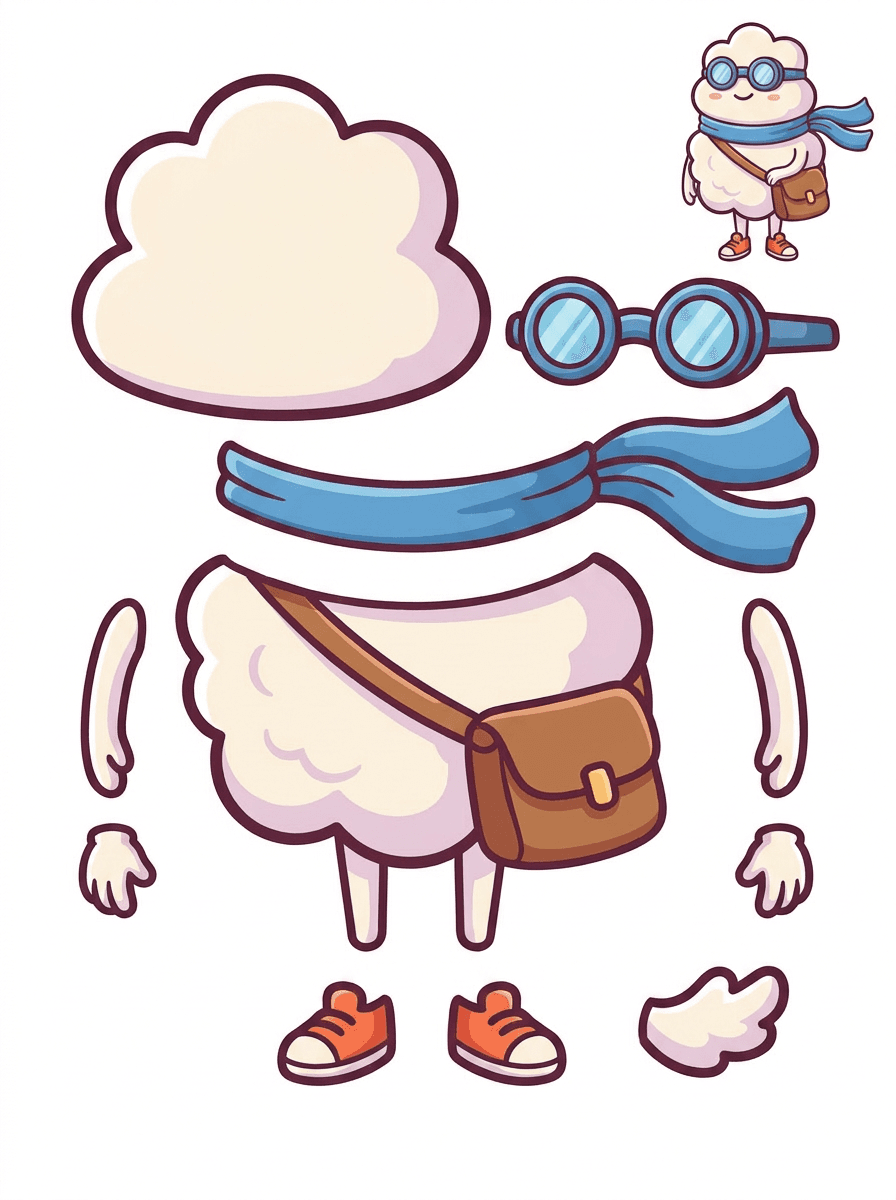
Cloud delivery mascot
Space camp cartoon kid

Game characters

RPG heroes, cyber runners, cozy NPCs, equipment layers, weapons, inventory references, and sprite-prep sheets.

RPG forest knight
Cyber runner hero
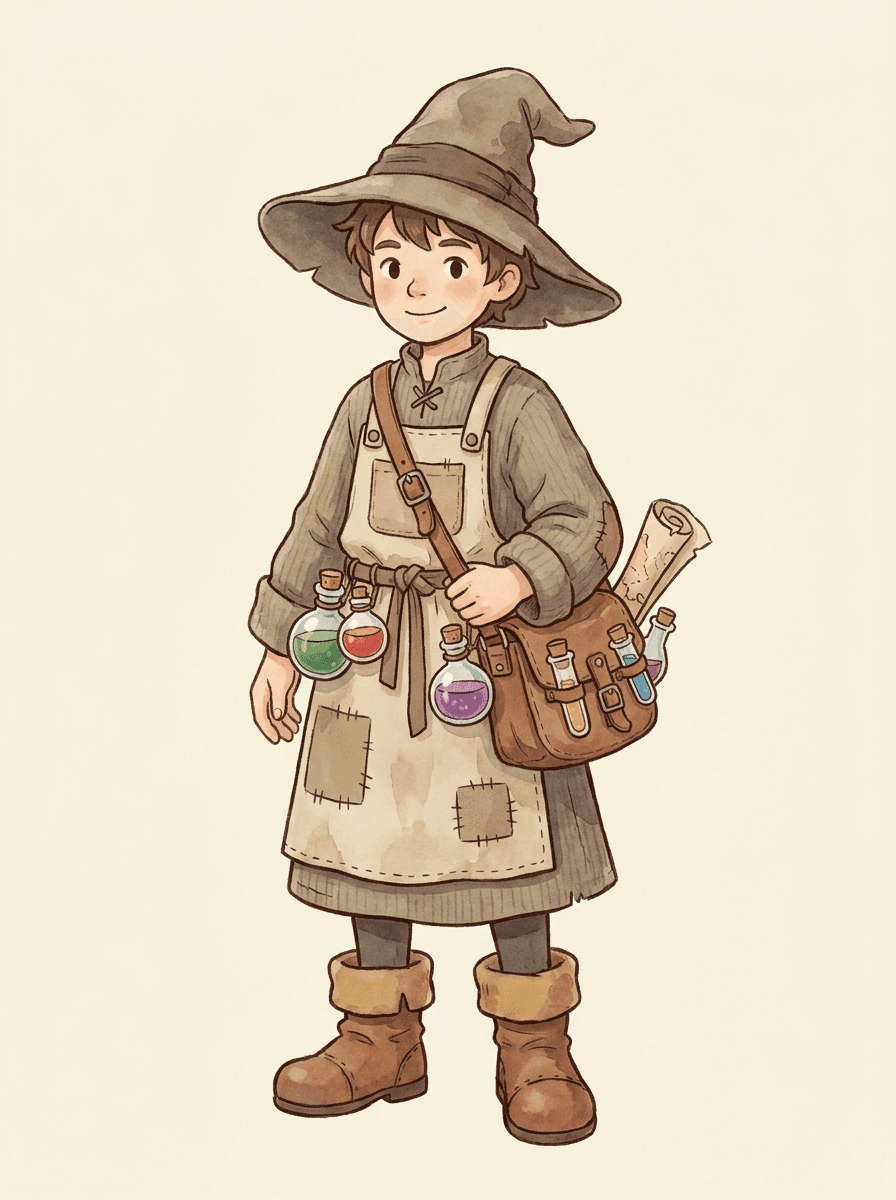
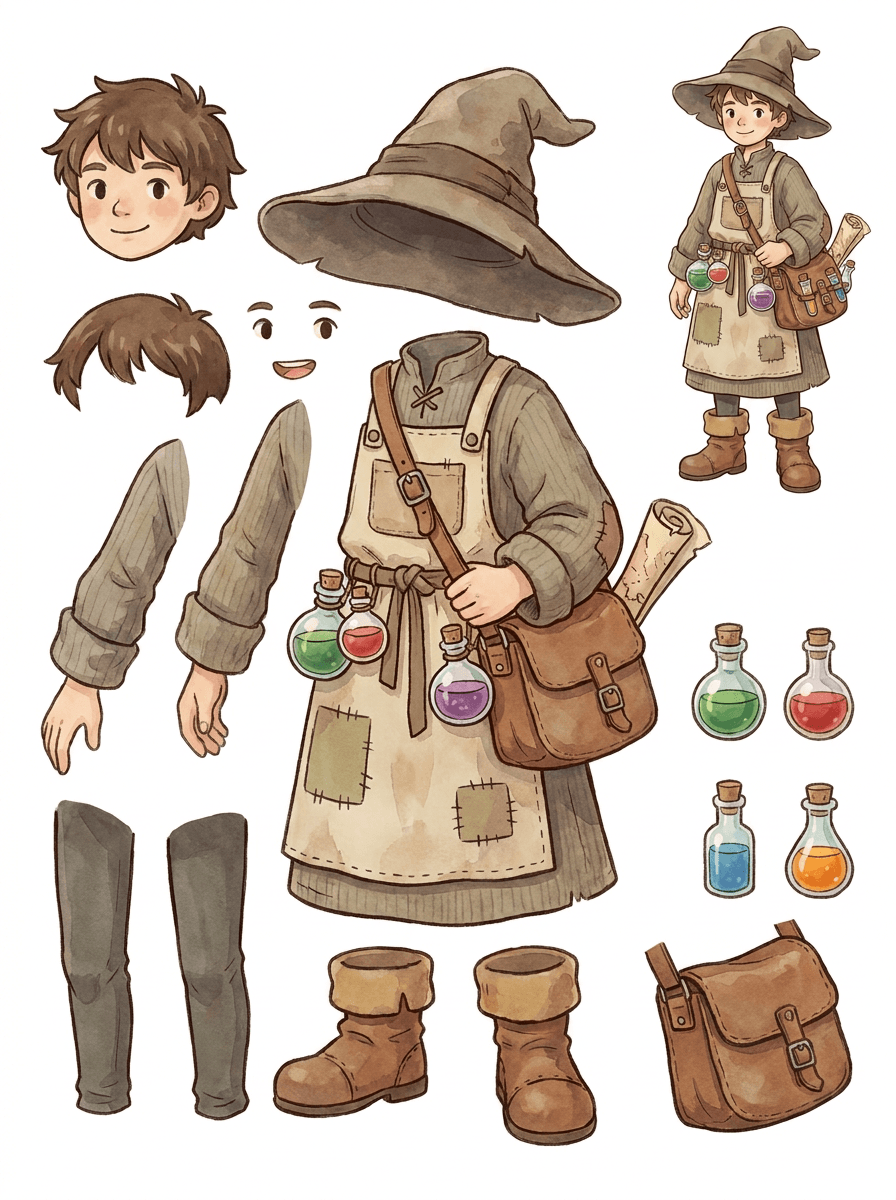
Cozy alchemist NPC

Anime characters

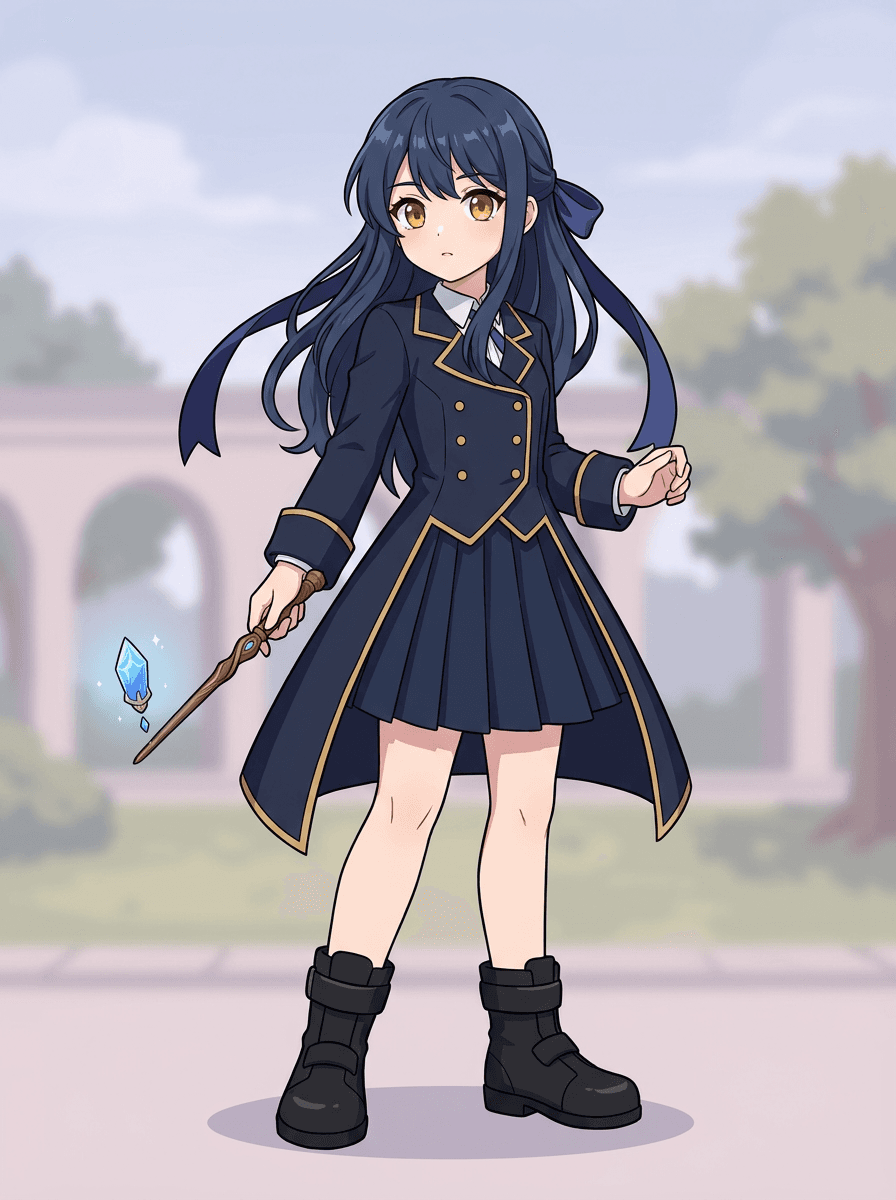
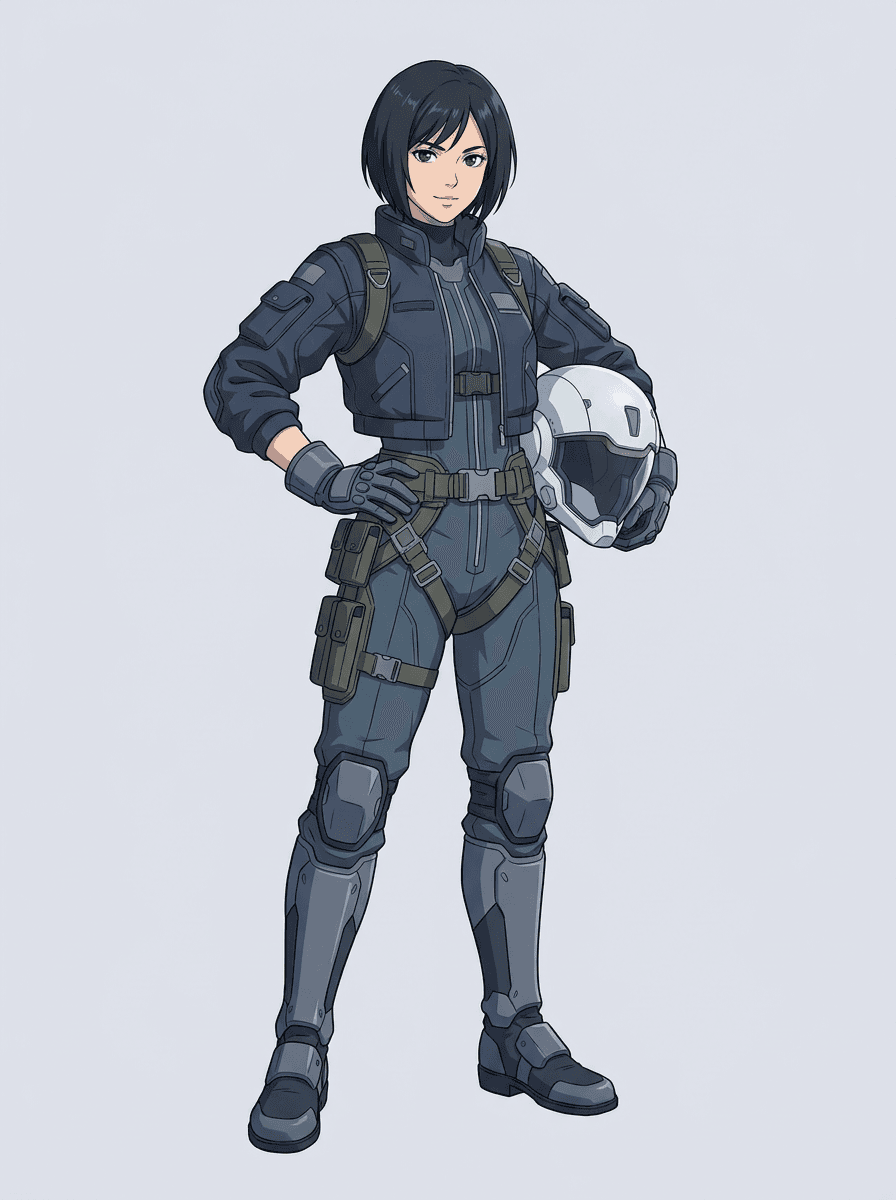
Modern anime key art with hair, uniform, ribbon, helmet, glove, boot, harness, and charm separation.

Magic academy student
Mecha pilot
Input quality

Good layer splits start with a source the model can read

The tool is strongest when the subject is clean, full, and visibly separated. It is not a shortcut for every crowded photo, sketch sheet, or occluded pose.

Best sources

  • One clear cartoon, anime, game, mascot, prop, or illustrated subject
  • Full silhouette visible with room around hands, hair, shoes, tail, cape, bag, weapons, or props
  • Simple background, clean outlines, readable colors, and major parts not hidden behind the body

Avoid these

  • Crowded scenes, overlapping people, dense photo backgrounds, or tiny accessories
  • Sketch marks, handwritten notes, paper guide lines, shadows, or low-resolution compression
  • Cropped feet, covered hands, hidden props, transparent fabric, and parts that the model cannot see

Recovery path

  • Run Quick Mode first and inspect the sheet before spending on another pass
  • Crop closer, clean background marks, and give the subject more space
  • Use PRO only when the first sheet proves the source is structurally readable

AI Layer Splitter FAQ

What is AI Layer Splitter?

AI Layer Splitter turns a single flat image into a readable asset sheet with visible character parts separated for animation, game art, motion comics, and editing workflows.

What images work best?

Clean illustrated subjects work best: cartoon mascots, anime characters, game characters, props, and full-body designs with visible hair, clothing, limbs, shoes, weapons, bags, tails, or accessories.

Can I use it for cartoon characters?

Yes. Cartoon characters and mascots are one of the strongest use cases because the outlines, props, clothing, hands, shoes, and facial parts are often clear enough to become a useful sheet.

Can I use it for game characters and sprites?

Yes. Game teams can use the generated sheet as a starting point for sprite references, pose variants, inventory icons, equipment edits, UI portraits, and animation blocking.

Can I use it for anime characters?

Yes. Anime-style characters can be split into visible hair, face, outfit, ribbon, glove, boot, prop, helmet, and accessory references when the source image is clean.

What is the difference between Quick Mode and PRO Mode?

Quick Mode creates a fast reviewable asset sheet. PRO Mode uses an upgraded model for cleaner separation when the source image is readable and the project needs a higher-quality pass.

Will every image split perfectly?

No. Very crowded scenes, hidden body parts, overlapping subjects, sketch marks, heavy shadows, cropped limbs, or tiny accessories may still need source cleanup or manual finishing.

Can I use the result commercially?

You can use generated outputs according to your LlamaGen plan and terms. Make sure you also have the rights to the source image you upload.

More generative design

Free AI Comic Strip GeneratorAI Children's Book GeneratorFree AI Comic GeneratorAI Manga StudioComic To VideoMusic To VideoFree AI Motion DesignerVideo to ComicVoice Story GeneratorAI Cartoon GeneratorPersonalized Character Comic MakerTurn Picture Into CartoonAI Webtoon GeneratorAI Manhwa GeneratorAI Manga GeneratorSocial Media ComicsBible Comic MakerManga Text Bubble GeneratorAI Storyboard GeneratorFree Storyboard TemplateAI Script GeneratorCamera Angle ControlAI Background GeneratorAI Image Style TransferAI Pose GeneratorAI Character GeneratorAI Character DesignAI Anime GeneratorAI Comic FactoryAI Story WriterChildren's storybook makerGenerative WorkflowsAI Storybook GeneratorPhoto to AnimeAI Manga Script GeneratorBlack And White Image FilterAI Manga ColorizerManga MakerManga TranslatorAnime to Real LifeAnime Character GeneratorAI Pixel Art GeneratorCharacter Sheet Cropping ToolComic Panel Segmentation ToolAI Layer SplitterAI Face Expression ChangerAI Image GeneratorStory AIAI Text Adventure GeneratorCrop ImageCompress ImageAI Acrylic Standee GeneratorAI Character Sheet GeneratorAI Christmas Outfit GeneratorAI Desktop Pet GeneratorAI Duo Character GeneratorAI Fantasy Character GeneratorAI Figure GeneratorAI Galgame UI GeneratorAI Giant Statue GeneratorAI Badge GeneratorAI Lego GeneratorAI Magazine Cover GeneratorAI Paper Cutout GeneratorAI Polaroid GeneratorAI Trading Card GeneratorAvatar GeneratorAI Avatar GeneratorAI Video GeneratorFree AI Manga GeneratorAI Manhwa GeneratorComic to Video AICanvas AIContent Generation ToolAI Story WriterStory DiffusionAI Comic Book EditorComic Character CreatorWeb Comic MakerComic Creator FreeAnime UpscalerGhibli AI GeneratorConsistent Characters VideoVisual Story WritingDrawPlayground AIGrayscale ImageComic ThatStoryboard ThatAI Anime GeneratorComicgenAI Image VectorizerChibi Sticker MakerAnime Sticker MakerAI Sticker GeneratorAnime Character GeneratorAI Image ExtenderAI Character Sheet GeneratorAI Photo to Sketch ConverterFree Faceless AI Video GeneratorYouTube Shorts Video GeneratorUGC Ad Video GeneratorHistory Video GeneratorAncient History Video GeneratorWar Documentary GeneratorStory to Video GeneratorVoiceover Video GeneratorVoice Story GeneratorProfessional ServicesComic Commission CostComic Artist for HireBook DesignBook EditingChildren's Book IllustrationBook & eBook WritingCartoon to Realistic AICartoon to Real Life AIAI Multi Shot Video GeneratorVisual Storytelling AgentAI Manga GeneratorAI Magical Girl GeneratorAI ELF GeneratorAI Demon Slayer GeneratorAI Book WriterAI Script WriterAI Book GeneratorManga Layout EditorManga Speech Bubble GeneratorManga Text Bubble GeneratorManga Panel GeneratorSkyReels AI Video GeneratorSkyReels AI Comic GeneratorAI Animation Story GeneratorAI Consistent Character GeneratorAI Kids Bedtime Story GeneratorAI Komiko GeneratorAI Monster GeneratorAI Motivational Story GeneratorAI Movie Poster GeneratorAI OC MakerCreate Your Own Comic BookFantasy AI Art GeneratorFlux AI Image GeneratorFree AI Colouring Page GeneratorMakoto Shinkai Art Inspiration GeneratorManga and Anime Books GeneratorMinecraft Comic MakerSnoopy Style Comic GeneratorStick Figure Comic GeneratorSticker GeneratorStudio Ghibli FilterVideo AgentComic AgentVisual Storytelling AgentGenerative WorkflowsSuno Music Video GeneratorApple Music Video GeneratorSpotify Music Video GeneratorSoundCloud Music Video GeneratorYouTube Music Video GeneratorUdio Music Video GeneratorTikTok Music Video GeneratorStable Audio Music Video GeneratorRiffusion Music Video Generator
Ready to split

Turn one character image into production-ready parts

Start with the preloaded sample, upload your own cartoon, anime, or game character, and create a reviewable layer sheet in minutes.